Who it's for
Solutions for your industry
Pick your business — familiar problems and how SyncWork solves them.
Electronics repair shops
Intake, repair, hand-back — orders, parts and clients under control in one window.
01 / 03
Problem 01“What exactly did the client hand in — and what's the defect?”Paper intake slips: accessories and defect notes get lost, disputes at hand-back.
SolutionAn intake card with defect description, accessories and photos of the device.Orders + Files / photos
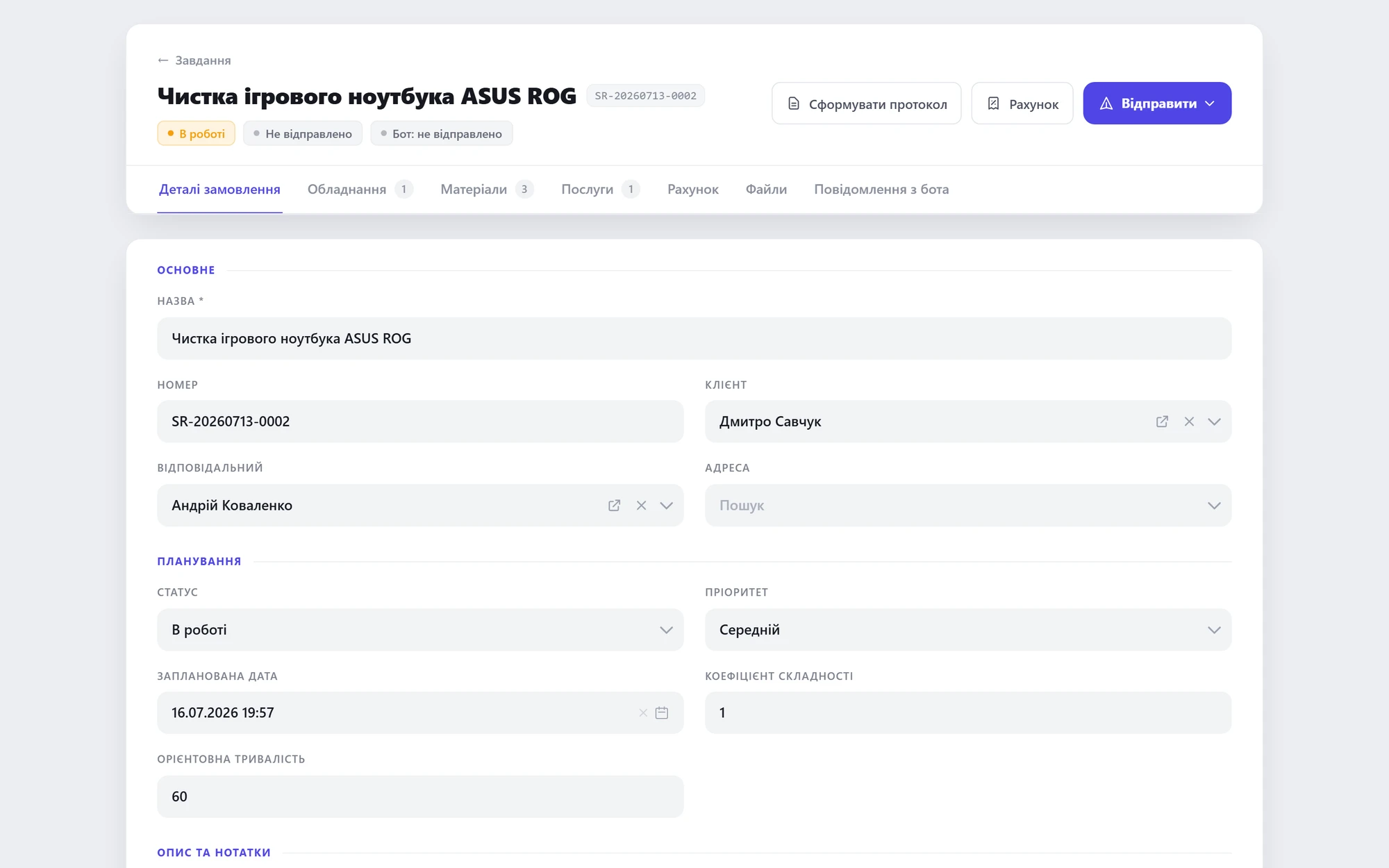 Task card — defect, client, status
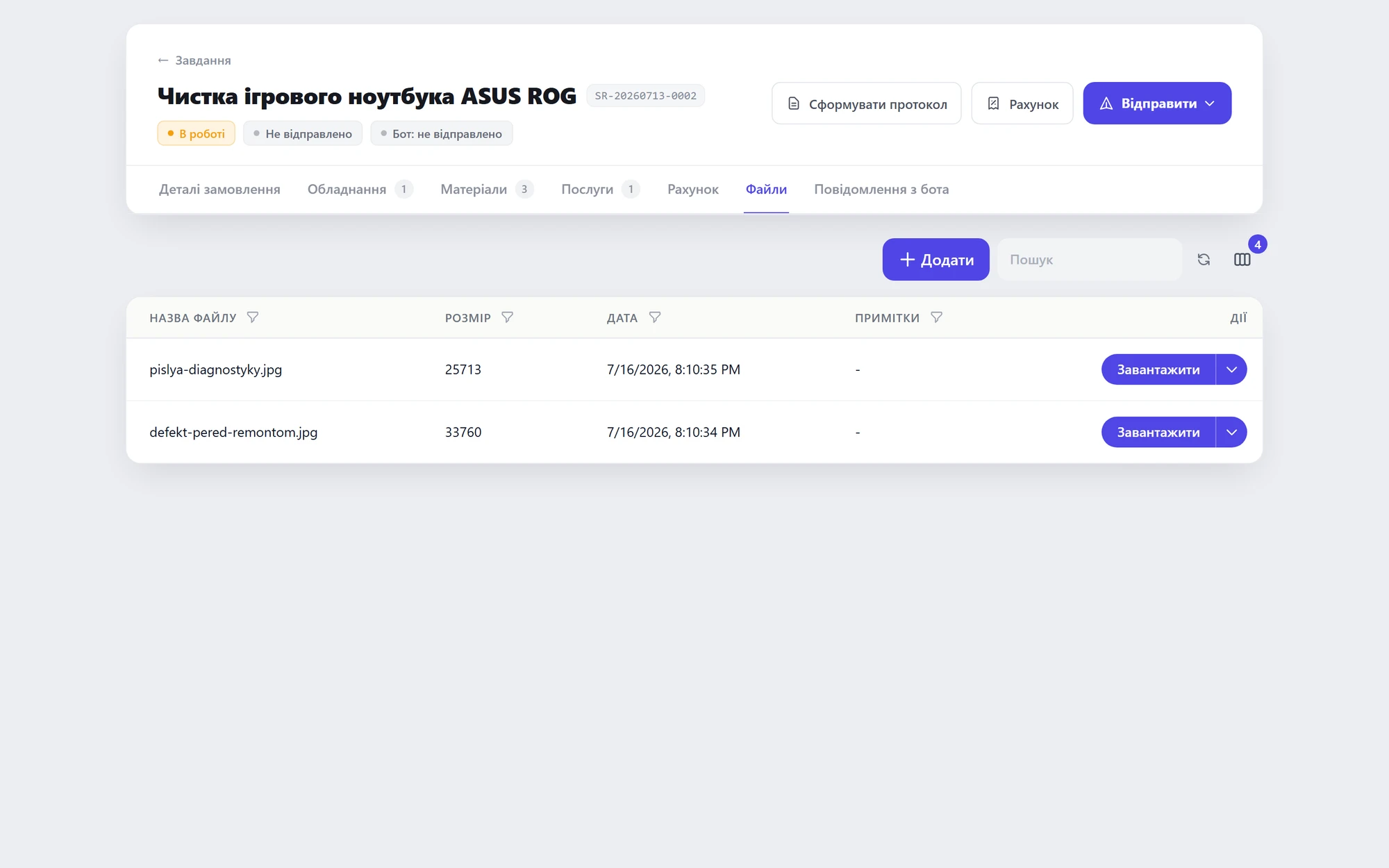 Device photos at intake
01 / 02
Problem 02“The client calls every day: is it ready?”Only the technician knows the status; the manager keeps chasing.
SolutionReal-time statuses + updates to the client in their own messenger.Dynamic statuses + Omnichannel chat
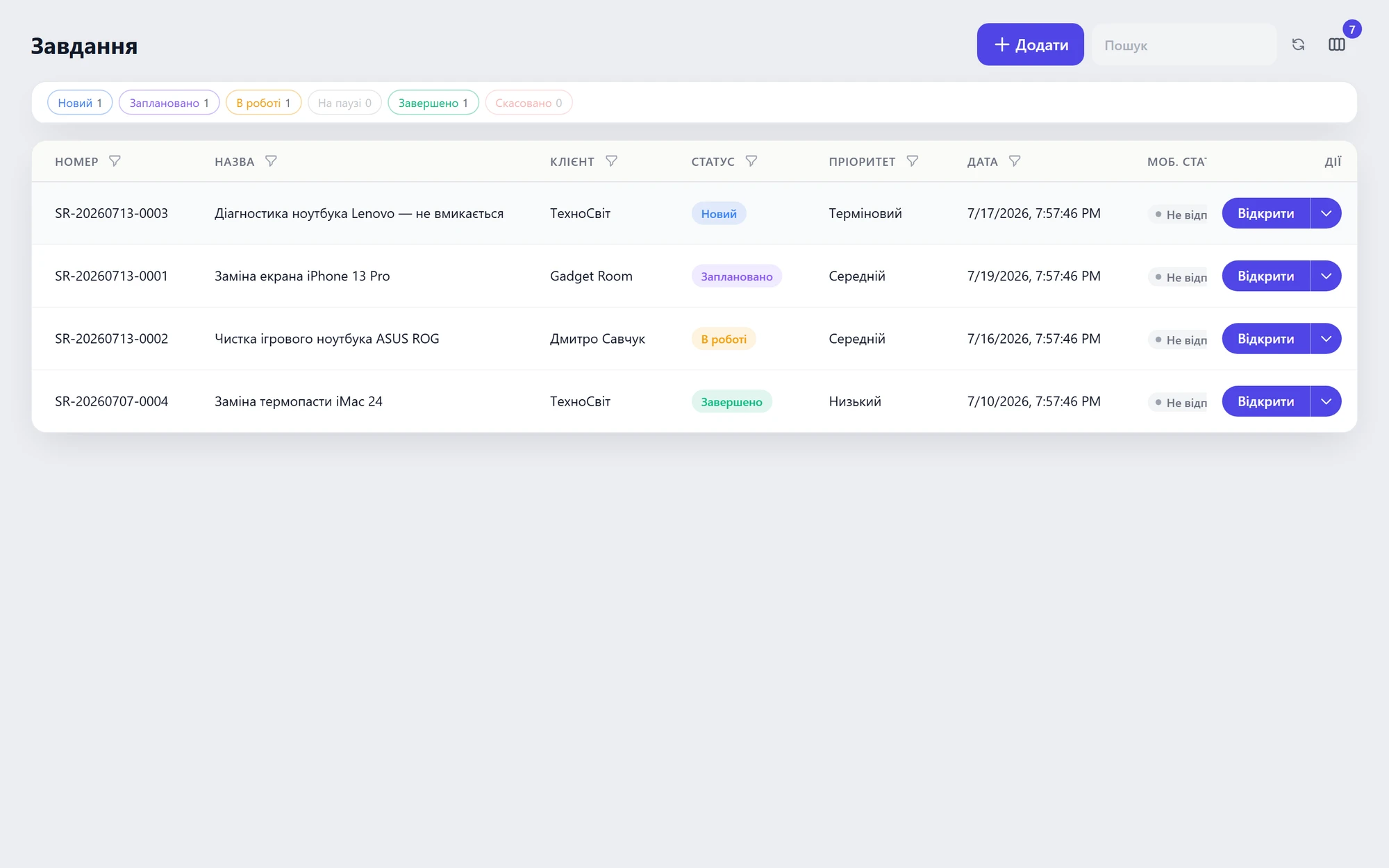 All orders with statuses in one list
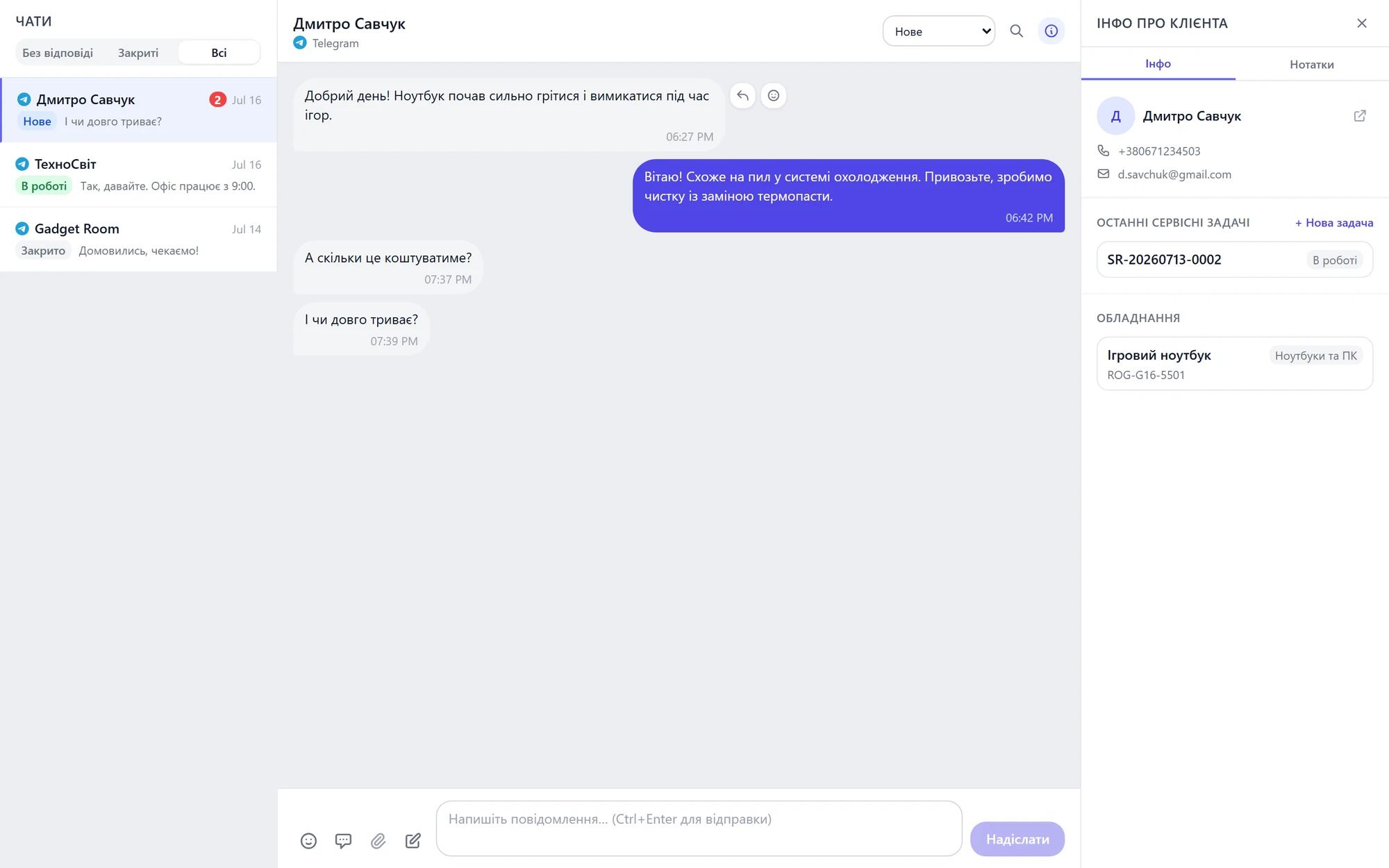 Reply to the client right in their messenger
01 / 02
Problem 03“What does the repair actually cost — parts included?”Nobody tracks parts cost; margin is a guess.
SolutionParts are written off to the order — cost and stock always visible.Inventory
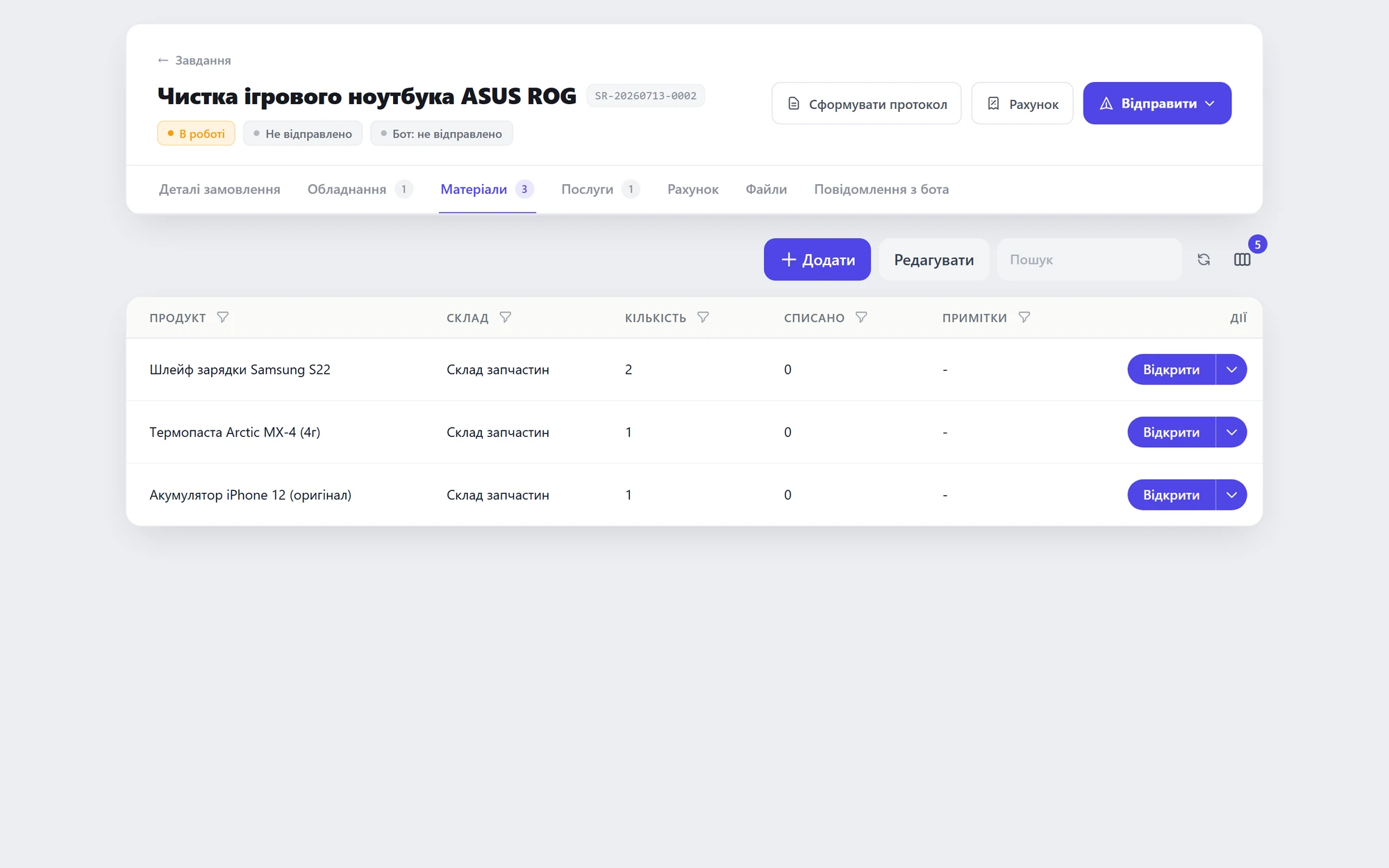 Parts written off to the order
 Labor with fixed prices
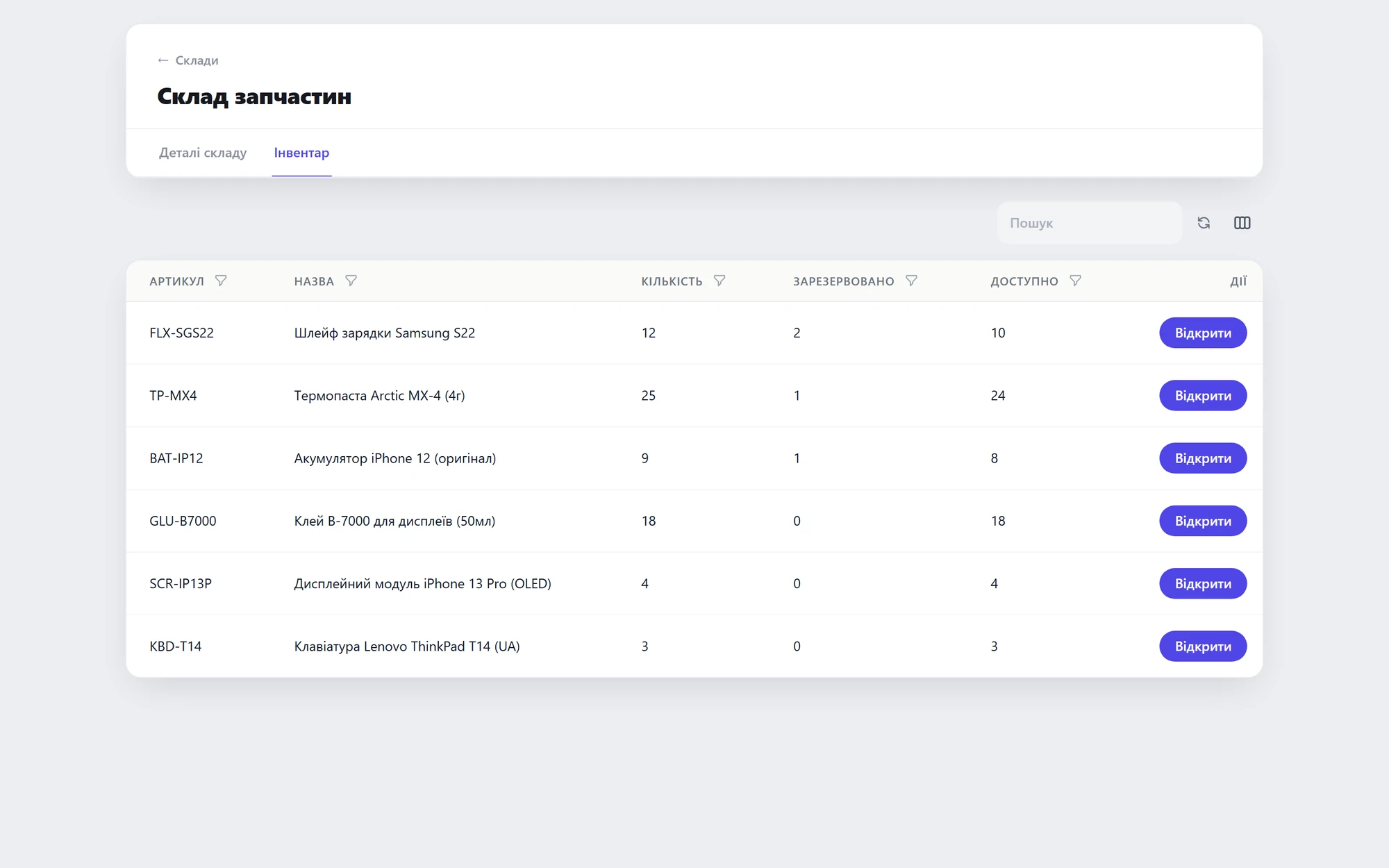 Up-to-date stock levels
01 / 03
Home appliance repair
On-site calls, technicians in the field, the history of every appliance — under control.
01 / 03
Problem 01“Calls pour into messengers — who goes where?”Manual dispatching by district: overlaps and idle time.
SolutionRequests into a queue, assignment to technicians, visit plan on the calendar.Mobile dispatch + Calendar
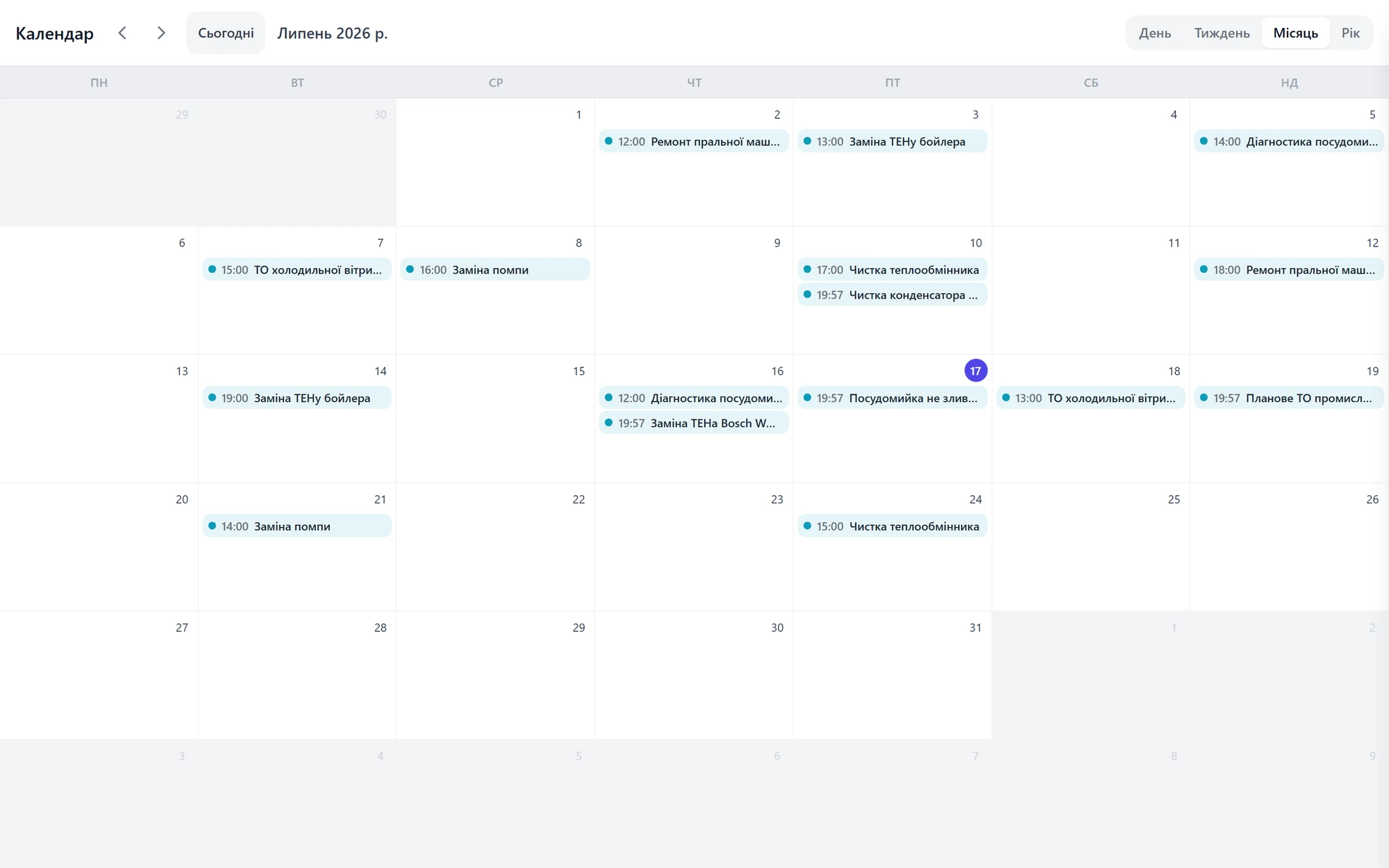 Monthly visit plan on the calendar
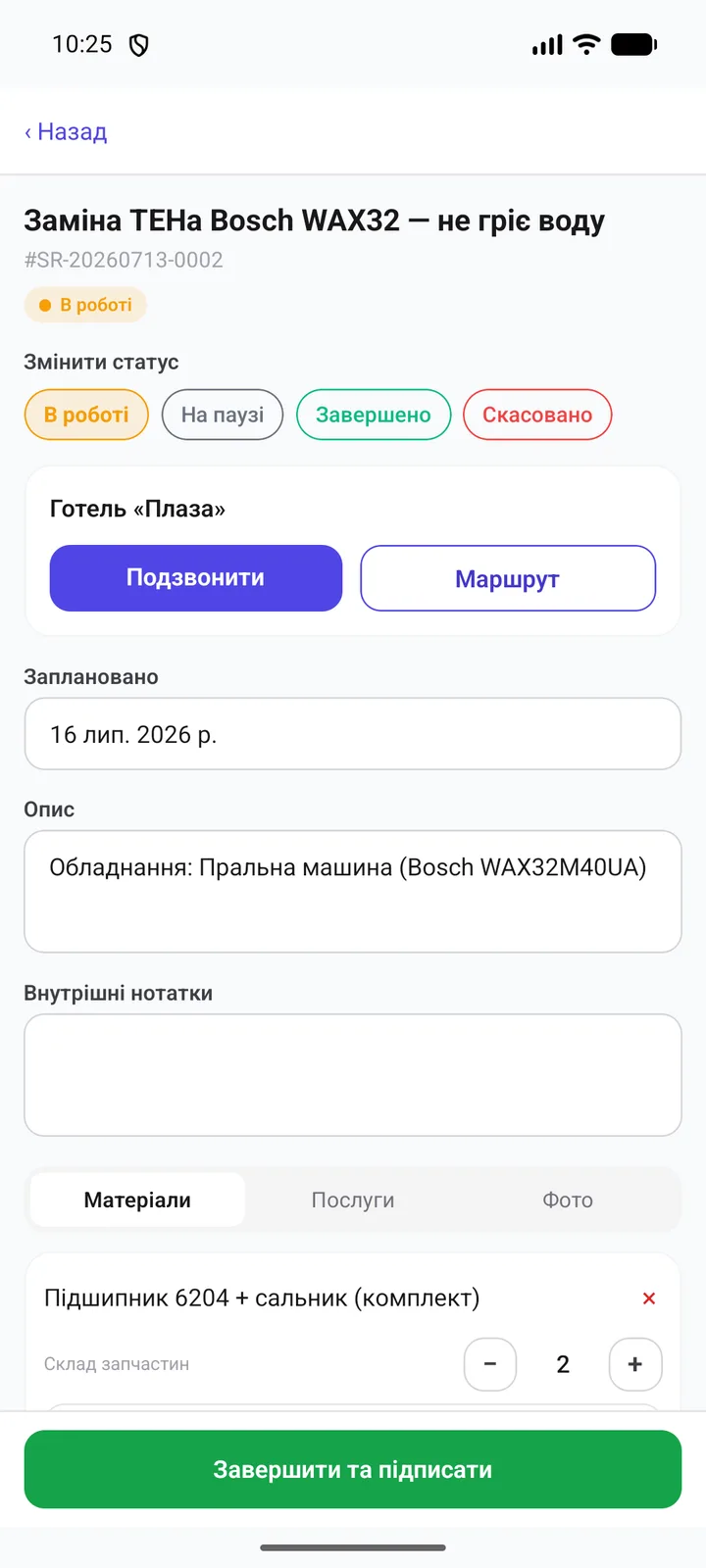 Technician's mobile task
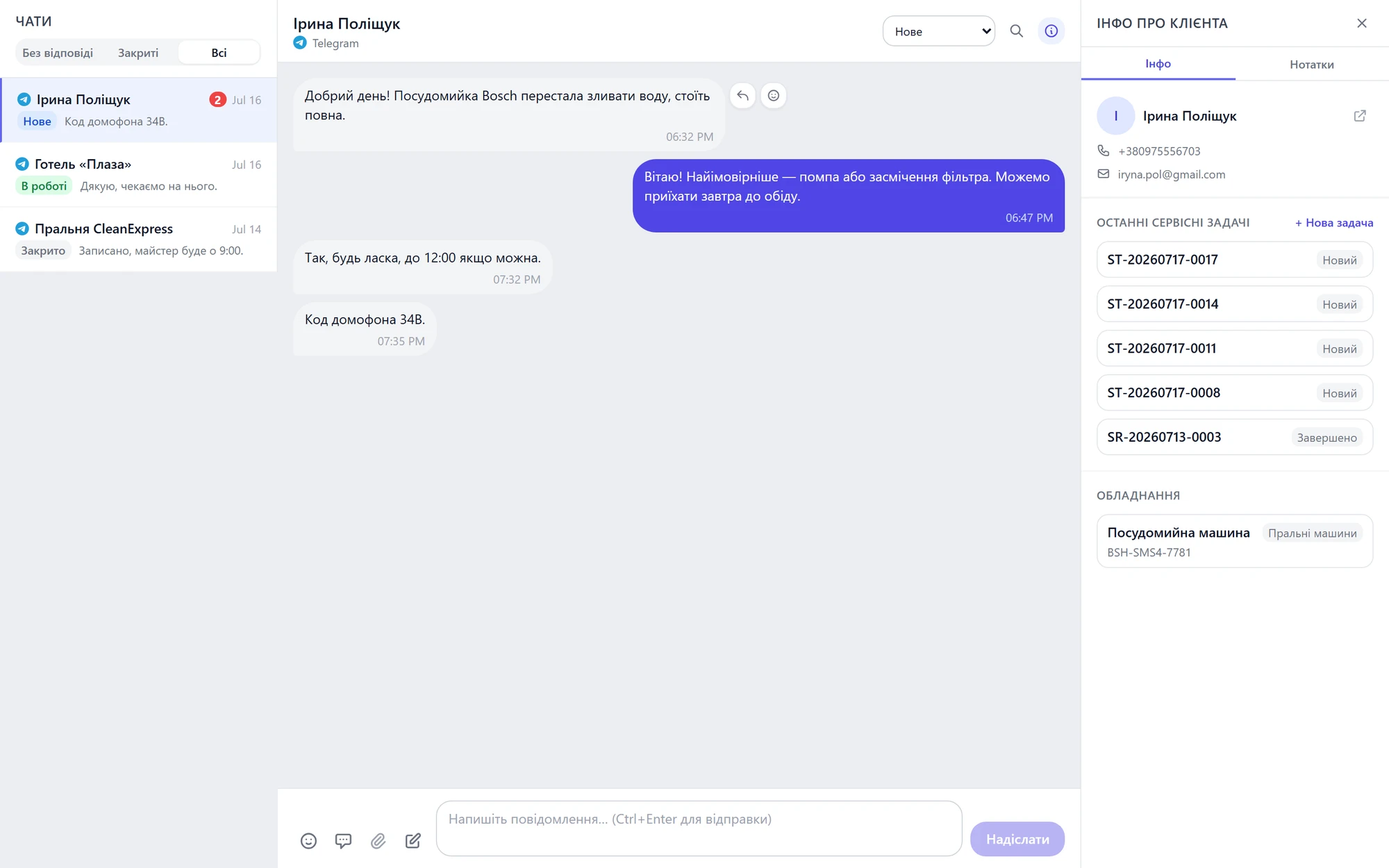 Messenger requests in one queue
01 / 03
Problem 02“The same washing machine, third time — what was done before?”No stored history for the client's appliances.
SolutionAn appliance card with the full history of repairs and replaced parts.Equipment
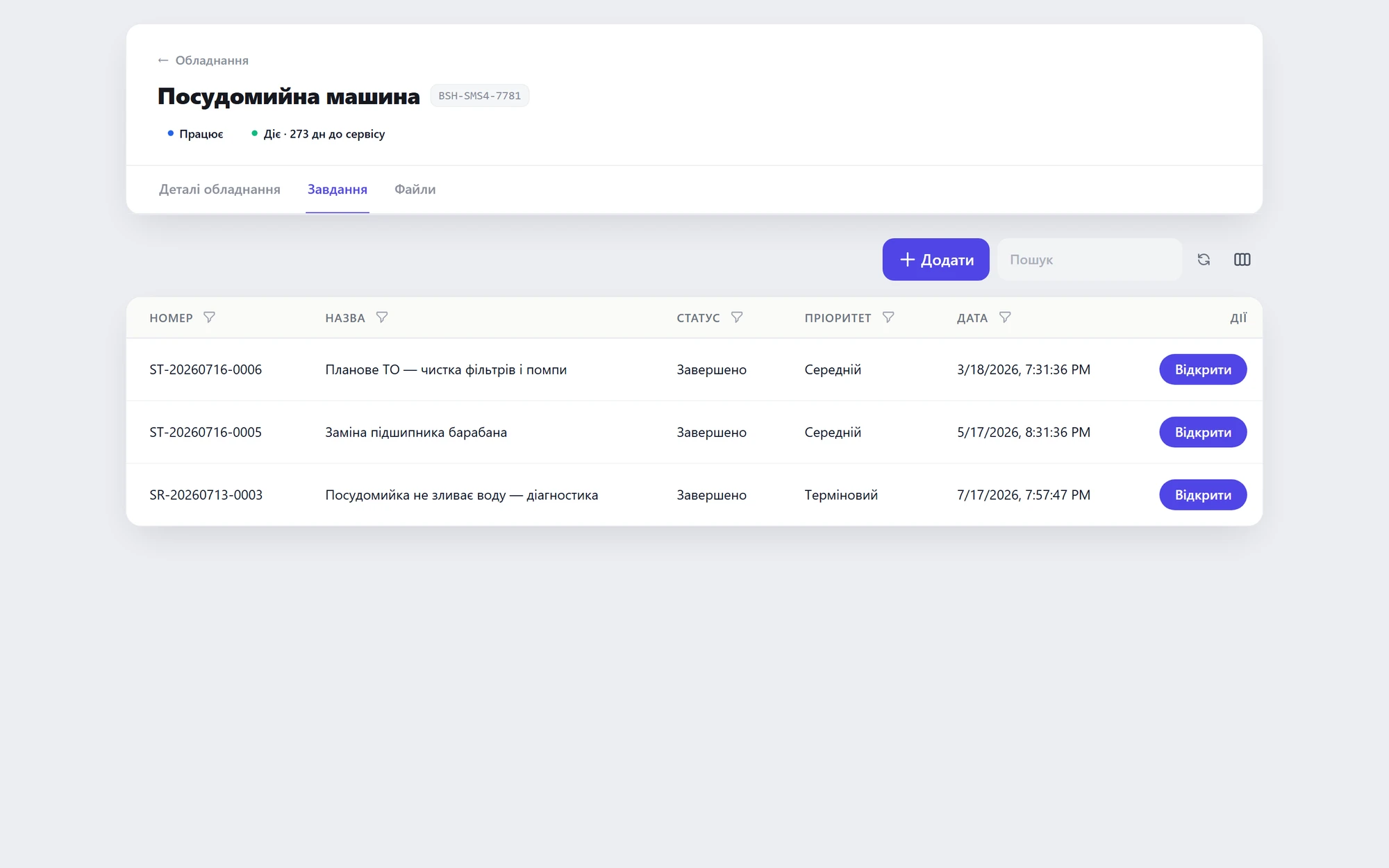 Appliance repair history
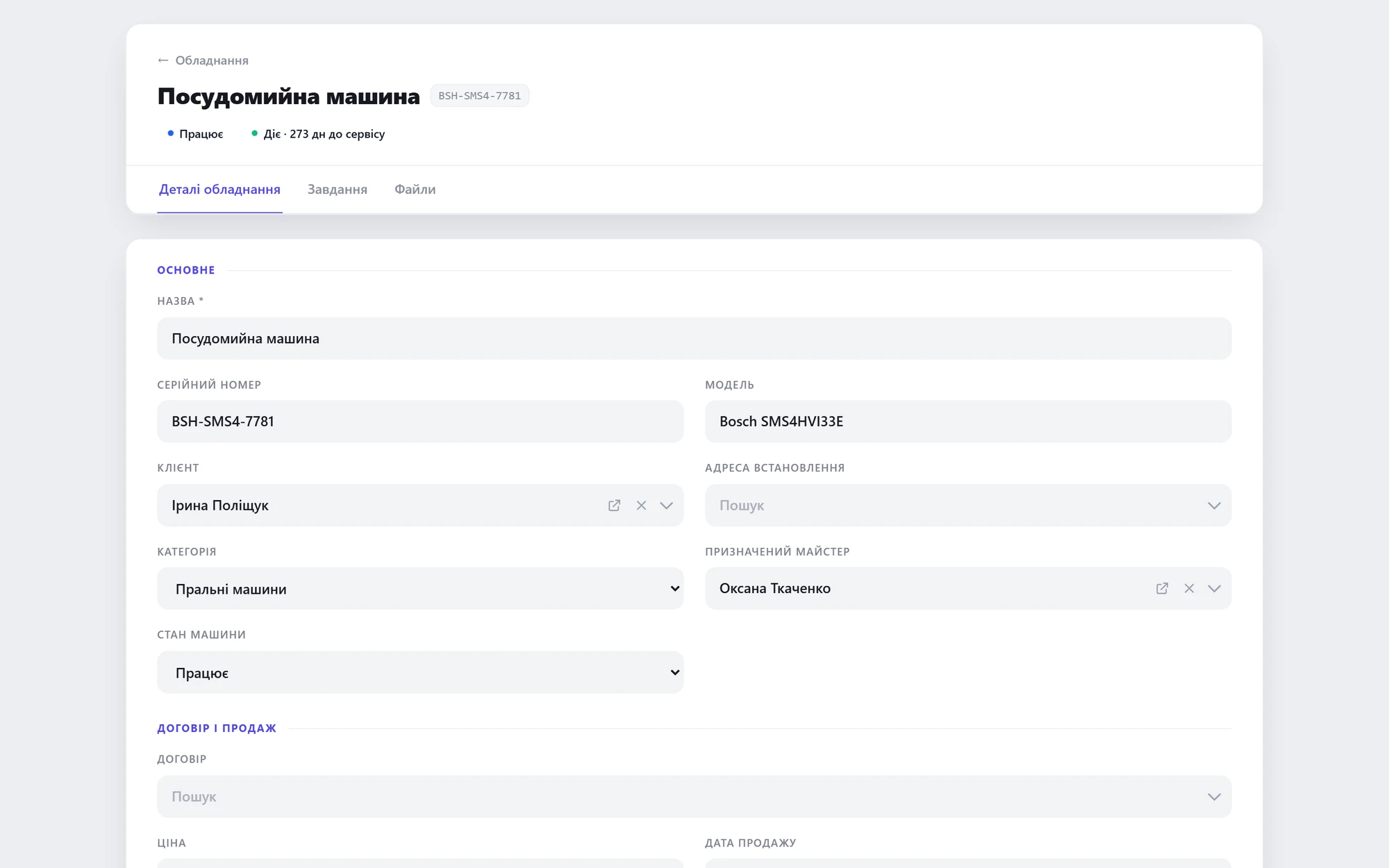 Card with serial number and warranty
01 / 02
Problem 03“Is this visit under warranty or paid?”Unclear what was already done and who pays for the repeat visit.
SolutionFull visit history per client + documents with totals.Equipment + Invoice PDF
What was done and when — full history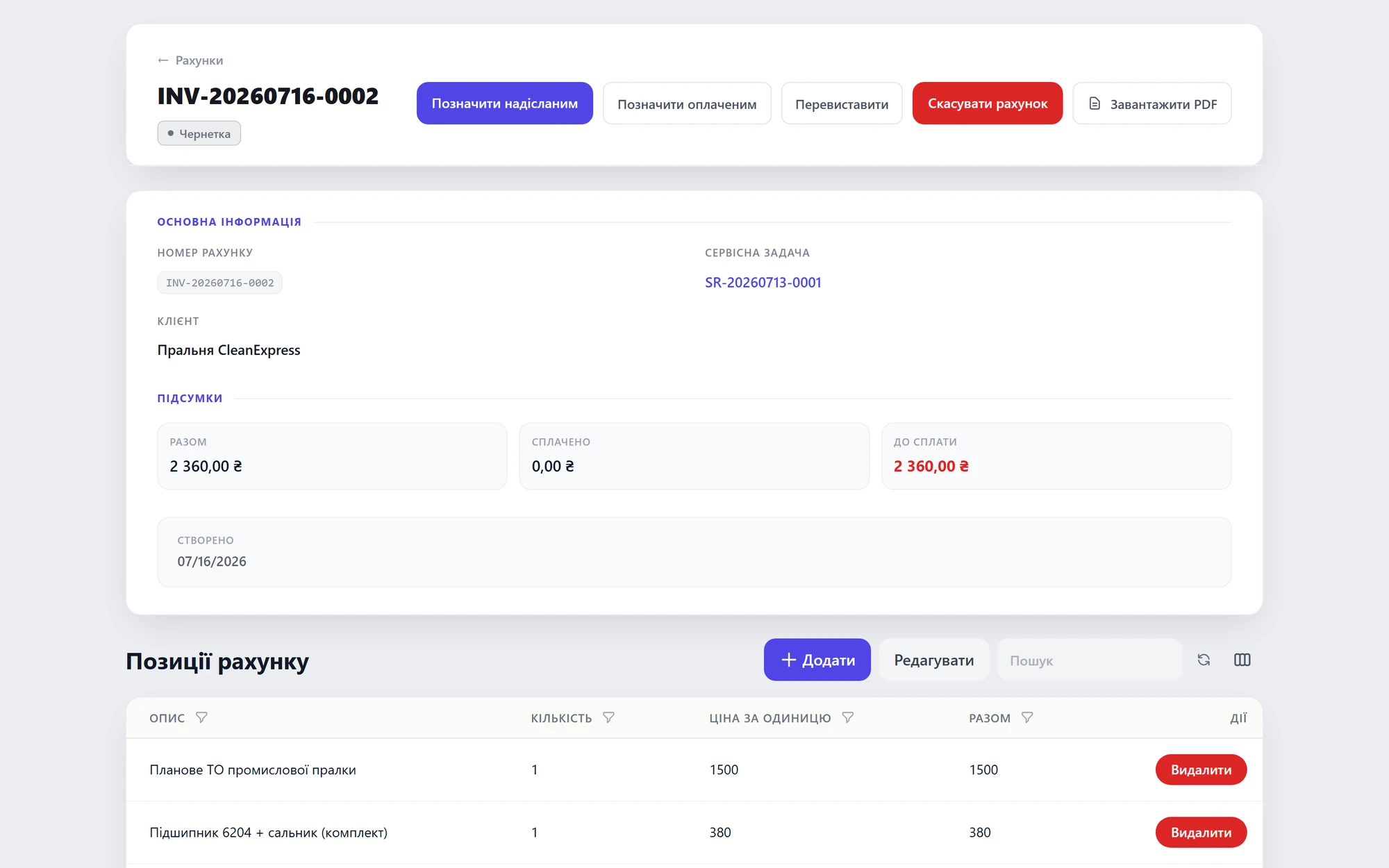 Last visit's invoice with totals
01 / 02
Auto service / garage
From booking to handing back the car — orders, parts, labor and totals in one window.
01 / 03
Problem 01“‘So what's happening with my car?' — and I don't know.”Paper orders under the windshield. Nobody sees the work status.
SolutionA work order per car with real-time status.Orders + Equipment
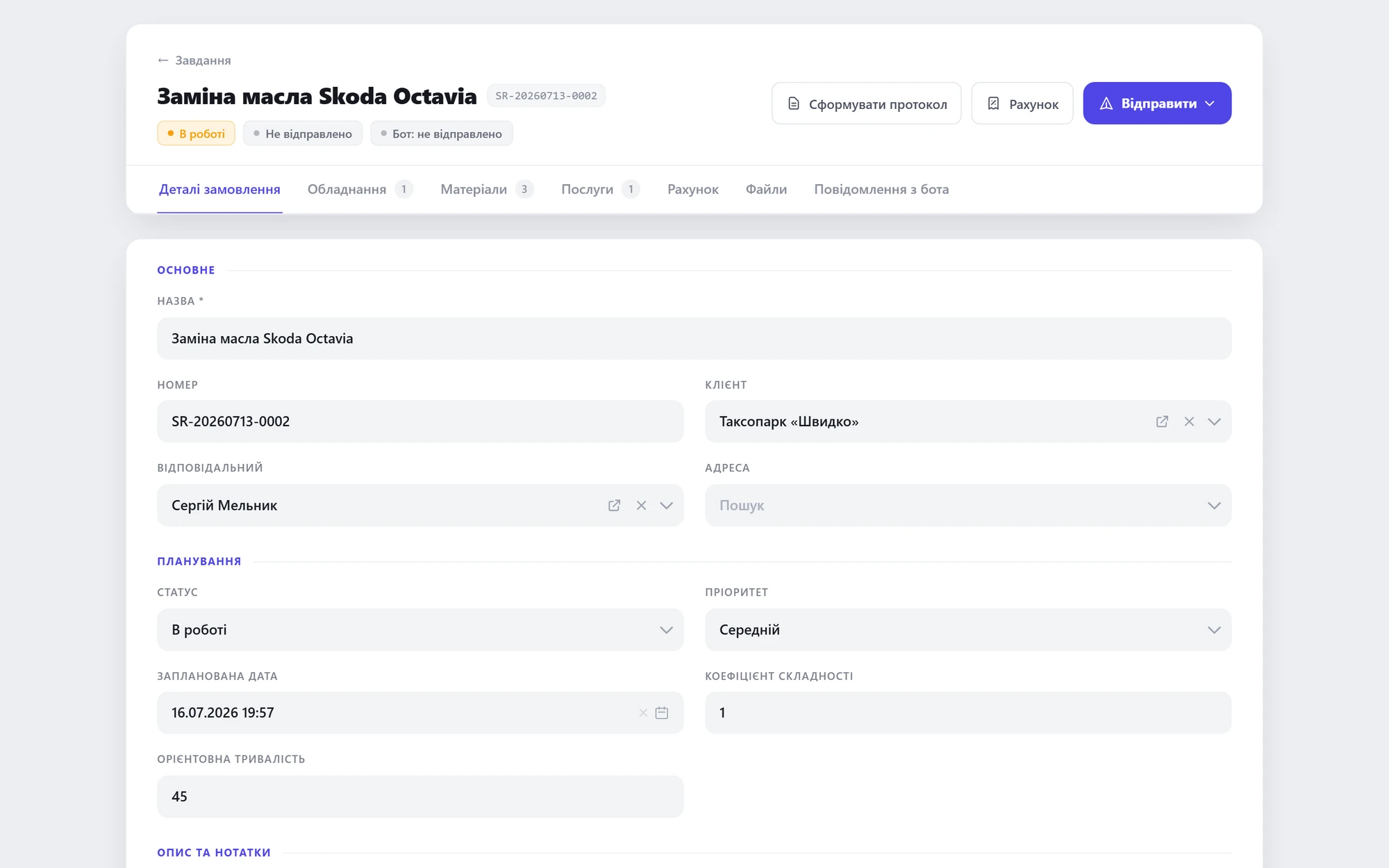 Car work order with live status
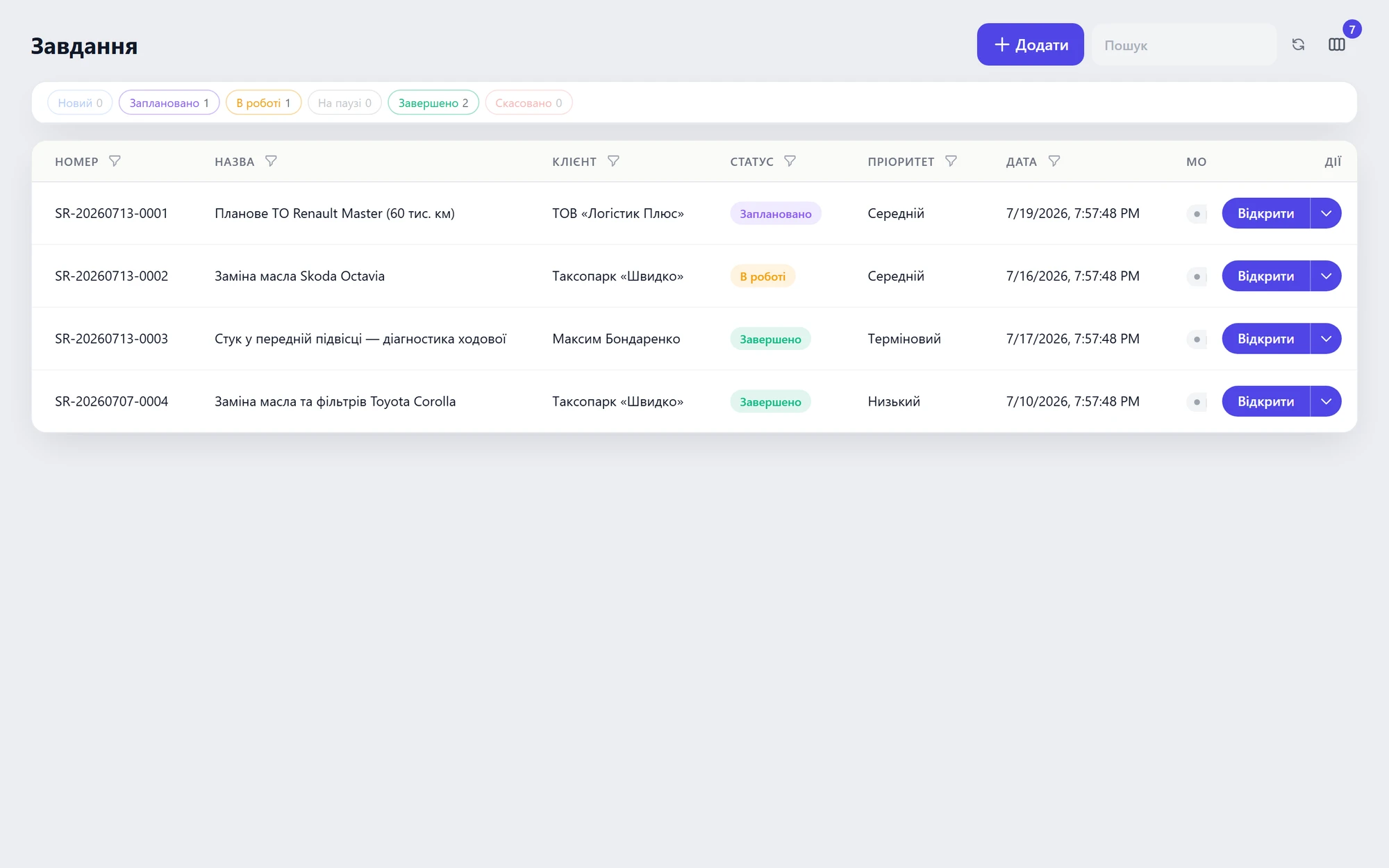 Every car in progress — one list
01 / 02
Problem 02“Quoted the job ‘by eye' — and undercharged.”The price list lives in the mechanic's head; amounts float, disputes follow.
SolutionA fixed-price labor catalog — the service pulls its price, the document builds itself.Services
 The service pulls its price from the catalog
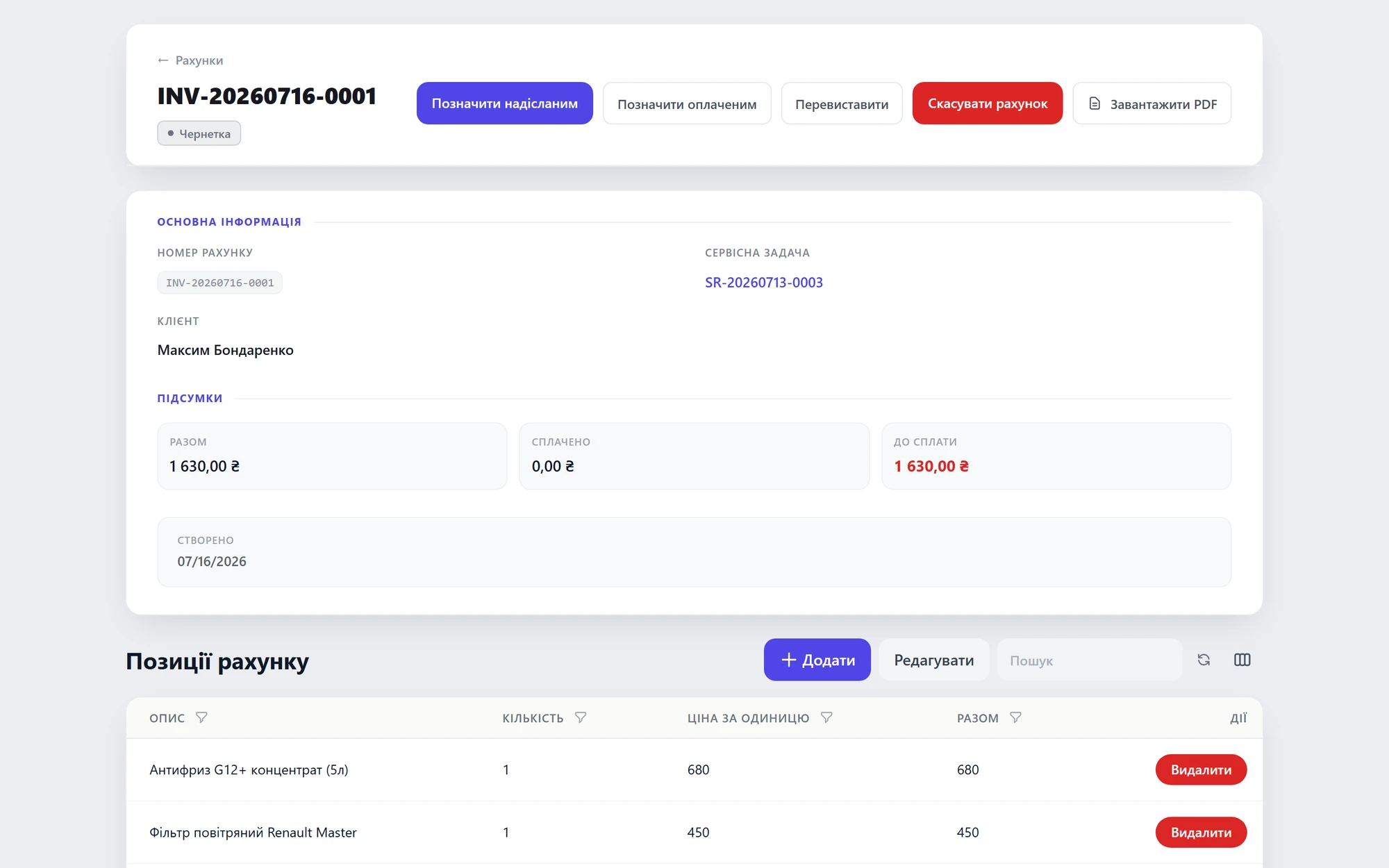 Invoice generated automatically
01 / 02
Problem 03“We ordered parts — where did they go?”Parts leave the stockroom untracked; shortages surface at month-end.
SolutionThe part is written off to the order — stock is always accurate.Inventory
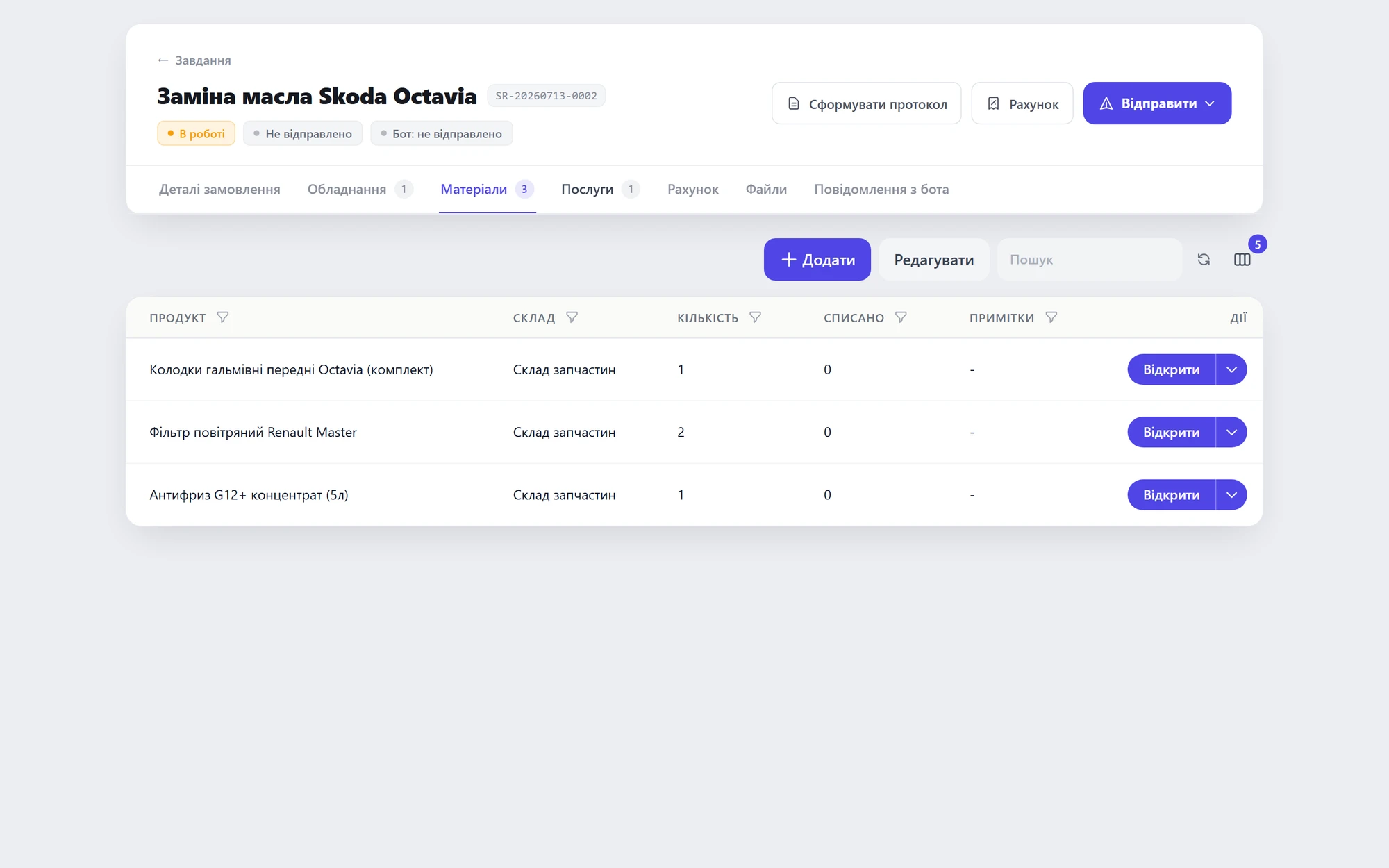 Part written off to a specific order
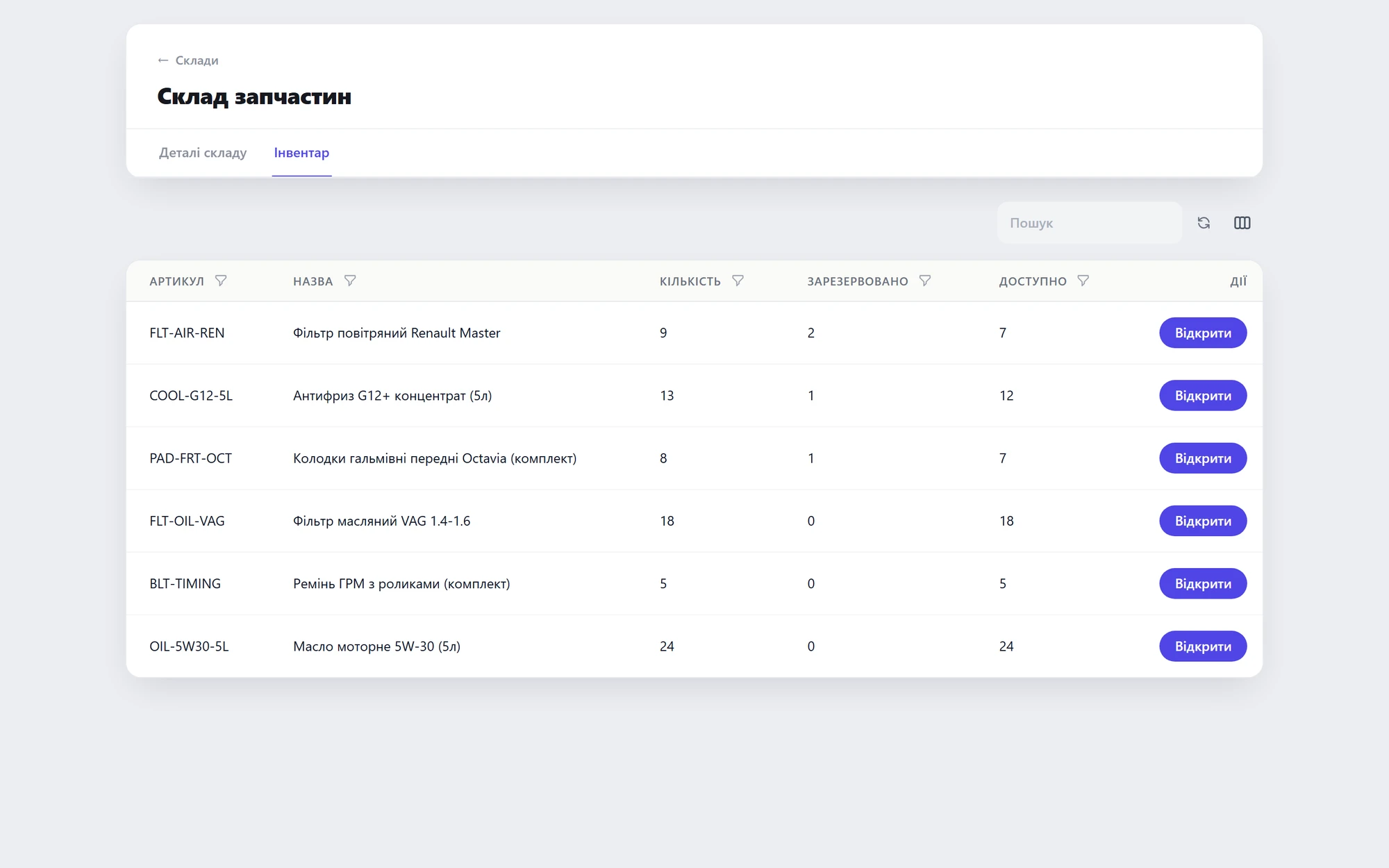 Stock levels add up
01 / 02
HVAC & climate systems
From installation to seasonal maintenance — sites, units and crews in one system.
01 / 03
Problem 01“Installed — and forgot the client.”No service funnel after installation; seasonal maintenance never gets re-sold.
SolutionService contracts + reminders for scheduled maintenance.Contracts + Calendar
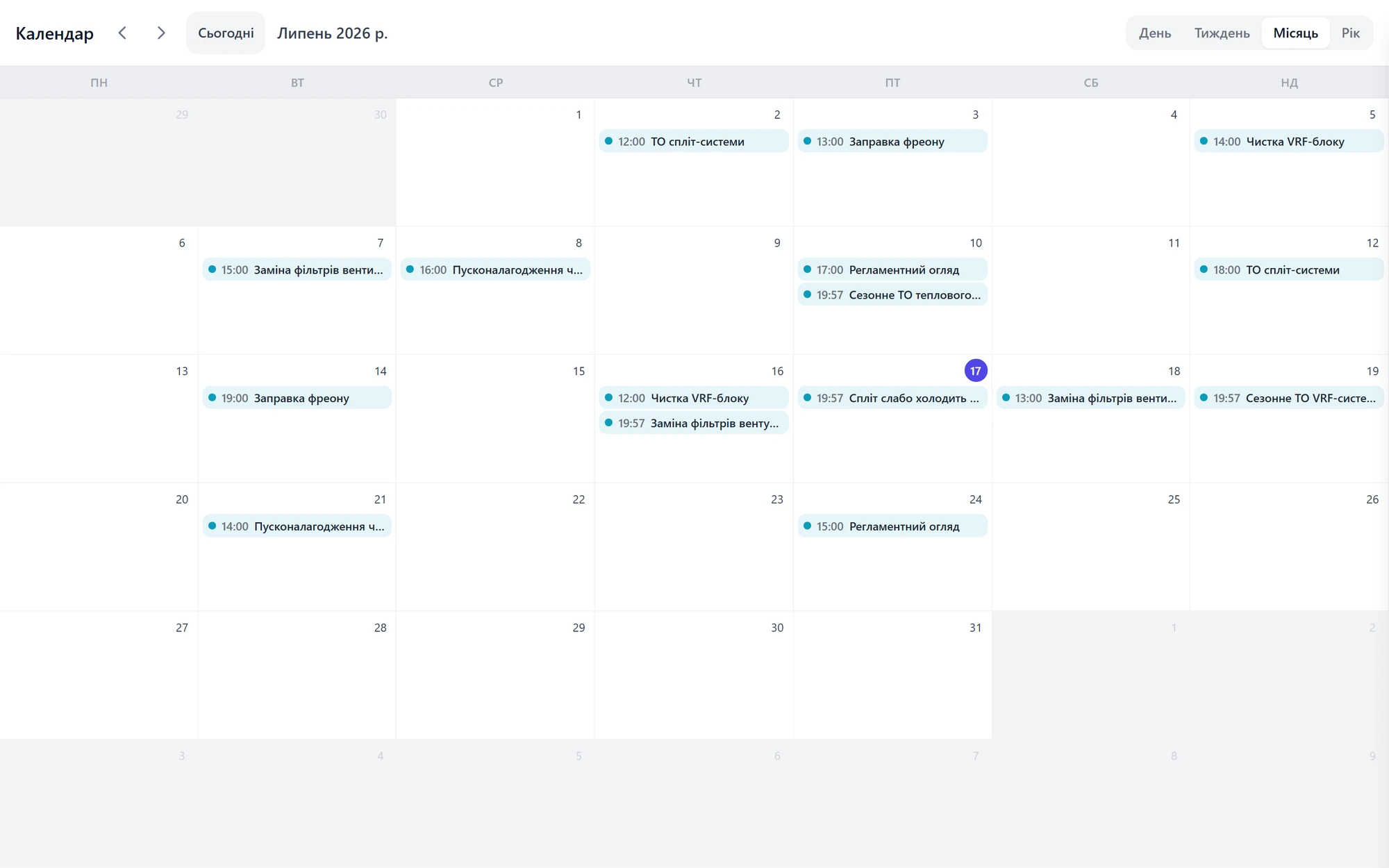 Scheduled maintenance calendar
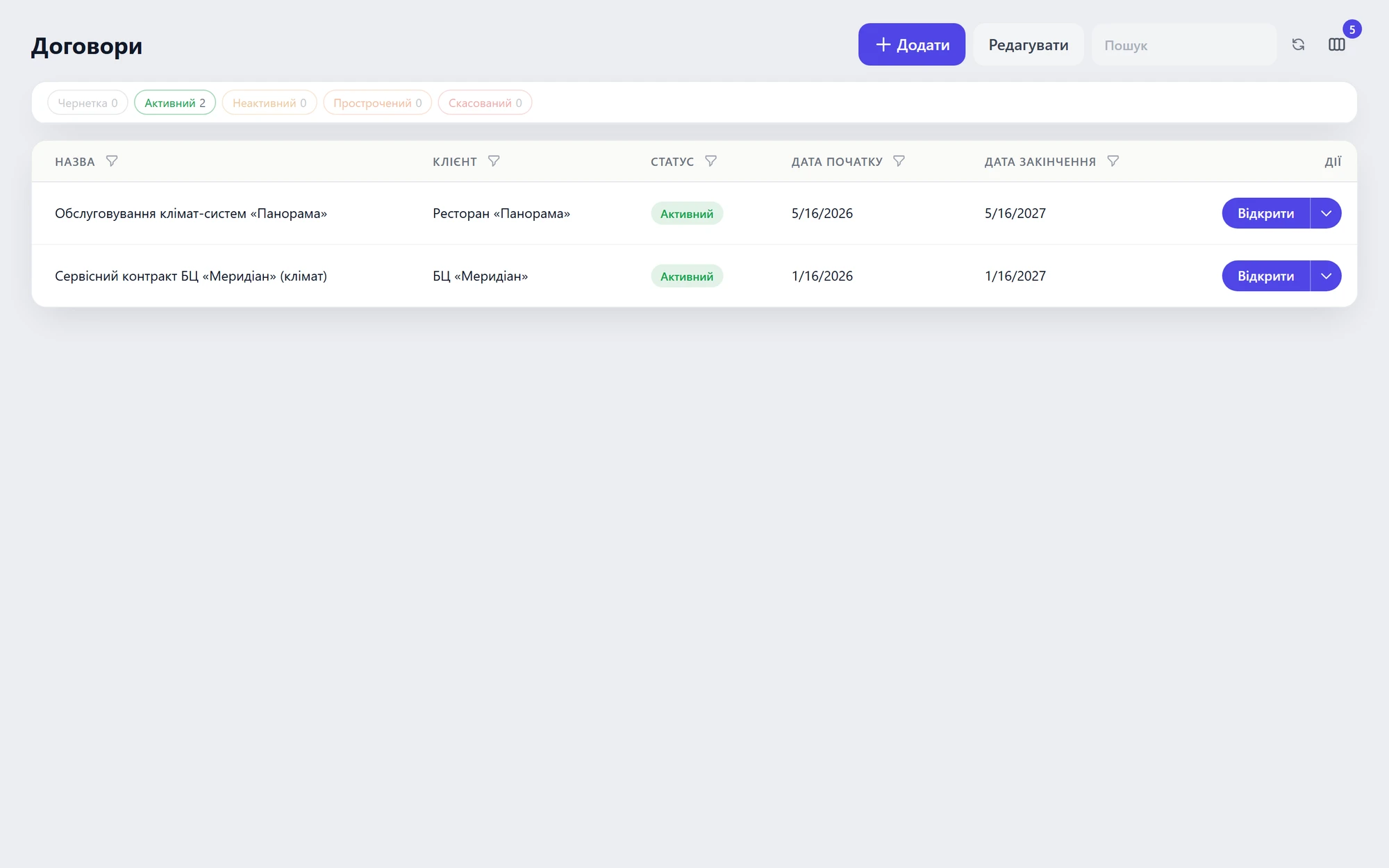 Contracts with end dates
01 / 02
Problem 02“12 split units on site — which is which, and when was it installed?”Nobody tracks installed units floor by floor.
SolutionEquipment tied to the client's site — serial numbers and install dates.Equipment
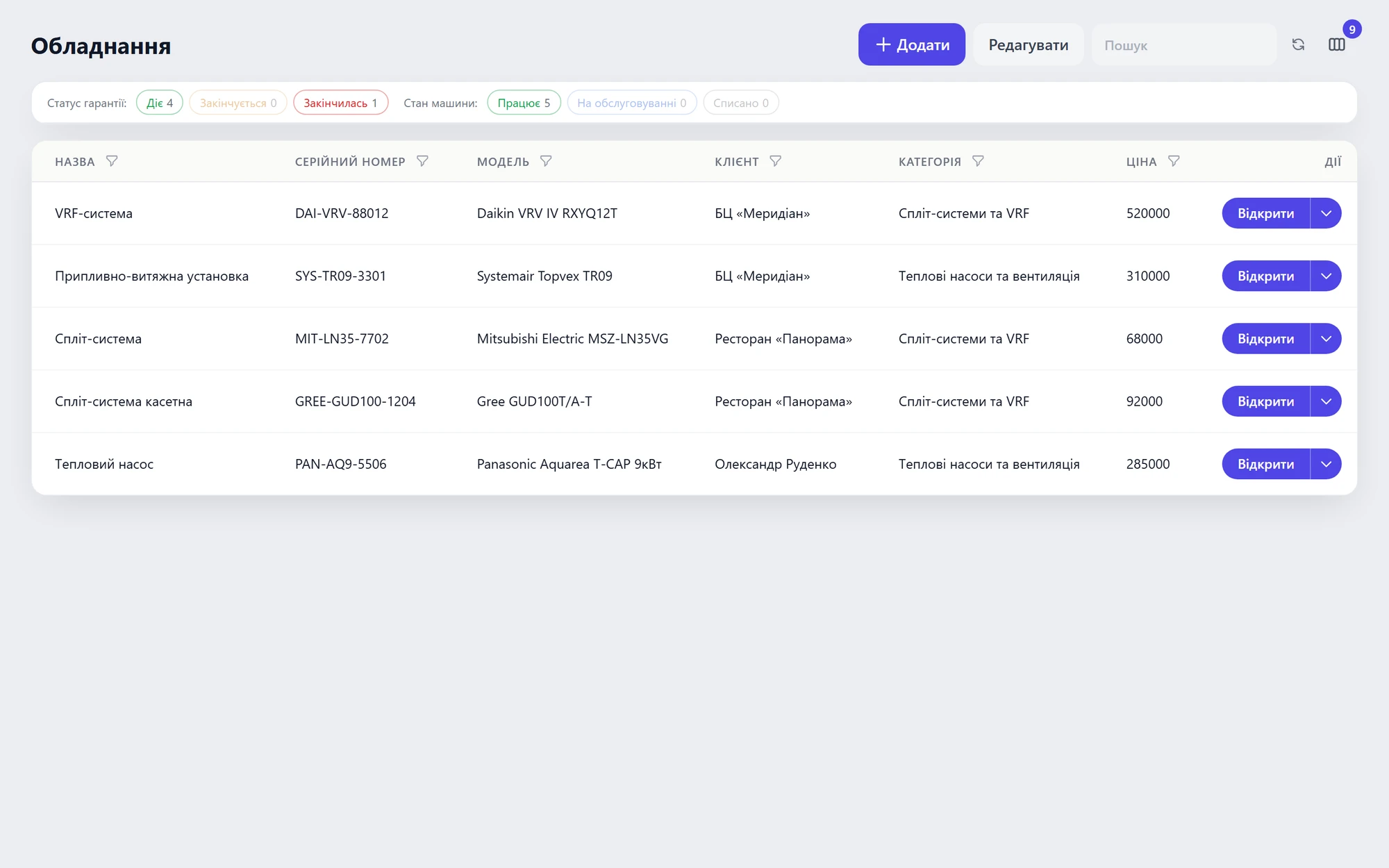 All client equipment in one list
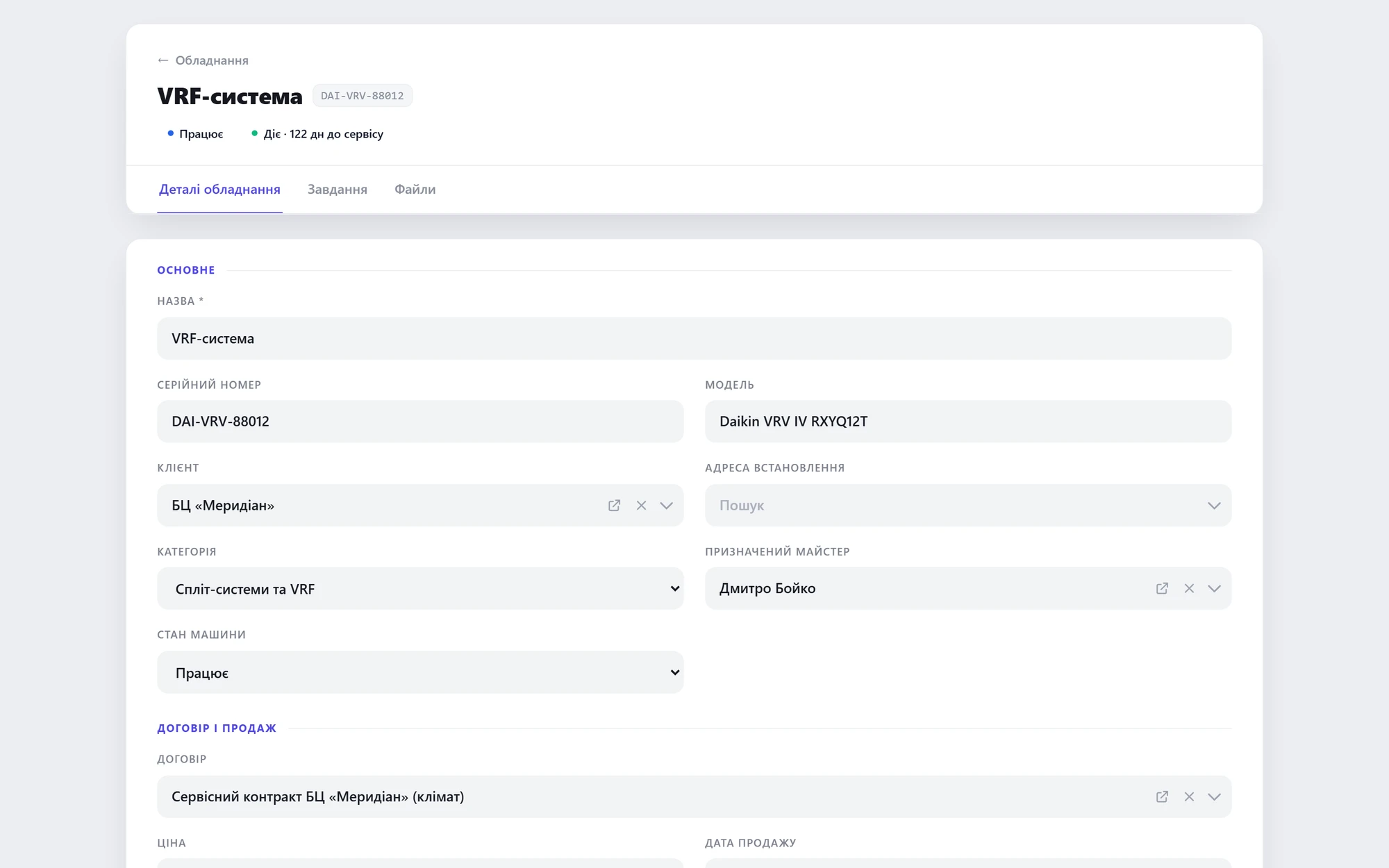 Unit: serial number and install date
01 / 02
Problem 03“Two crews in the field — the dispatcher can't see who's where.”Site visits coordinated by hand.
SolutionTasks sent to mobile, completion status in real time.Mobile dispatch
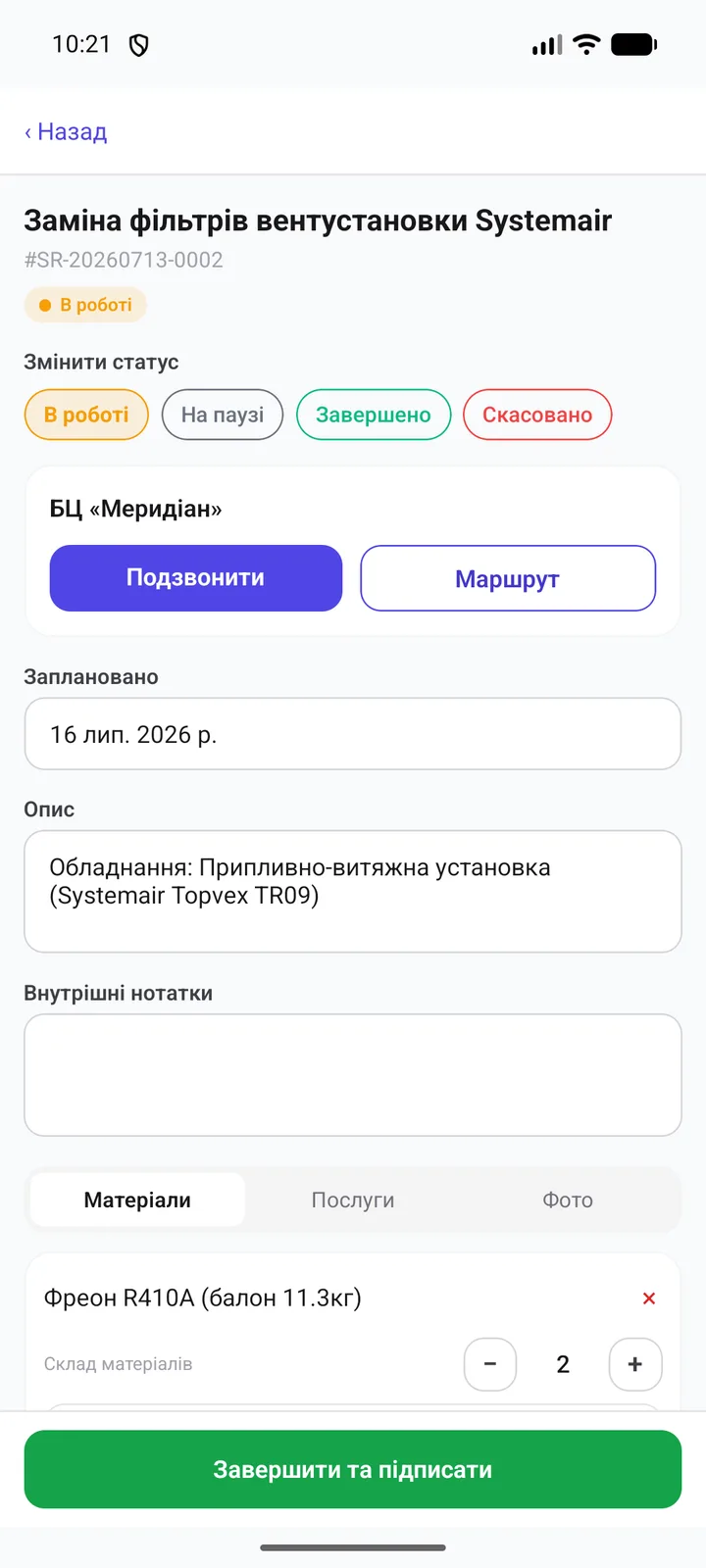 The task in the technician's phone
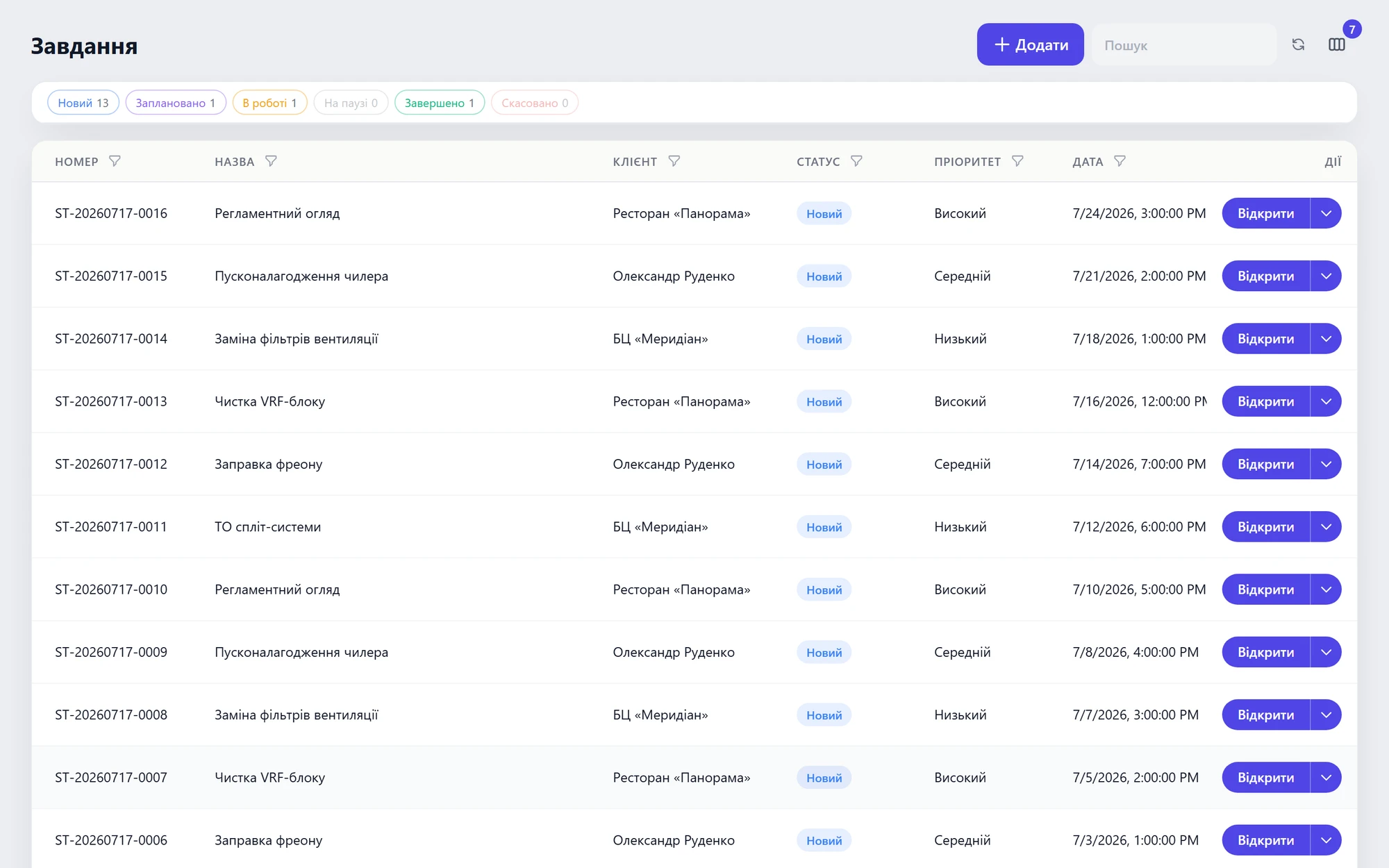 Dispatcher sees statuses in real time
01 / 02
Equipment for cafés, restaurants and hotels
Coffee machines, refrigeration, kitchen — dozens of units across venues. Each unit's history, scheduled maintenance and parts stock in one place.
01 / 03
Problem 01“Who remembers what we put in this coffee machine six months ago?”Unit history lives in the technician's head. Visits happen blind.
SolutionA card per unit — model, serial number, venue and the full visit history.Equipment
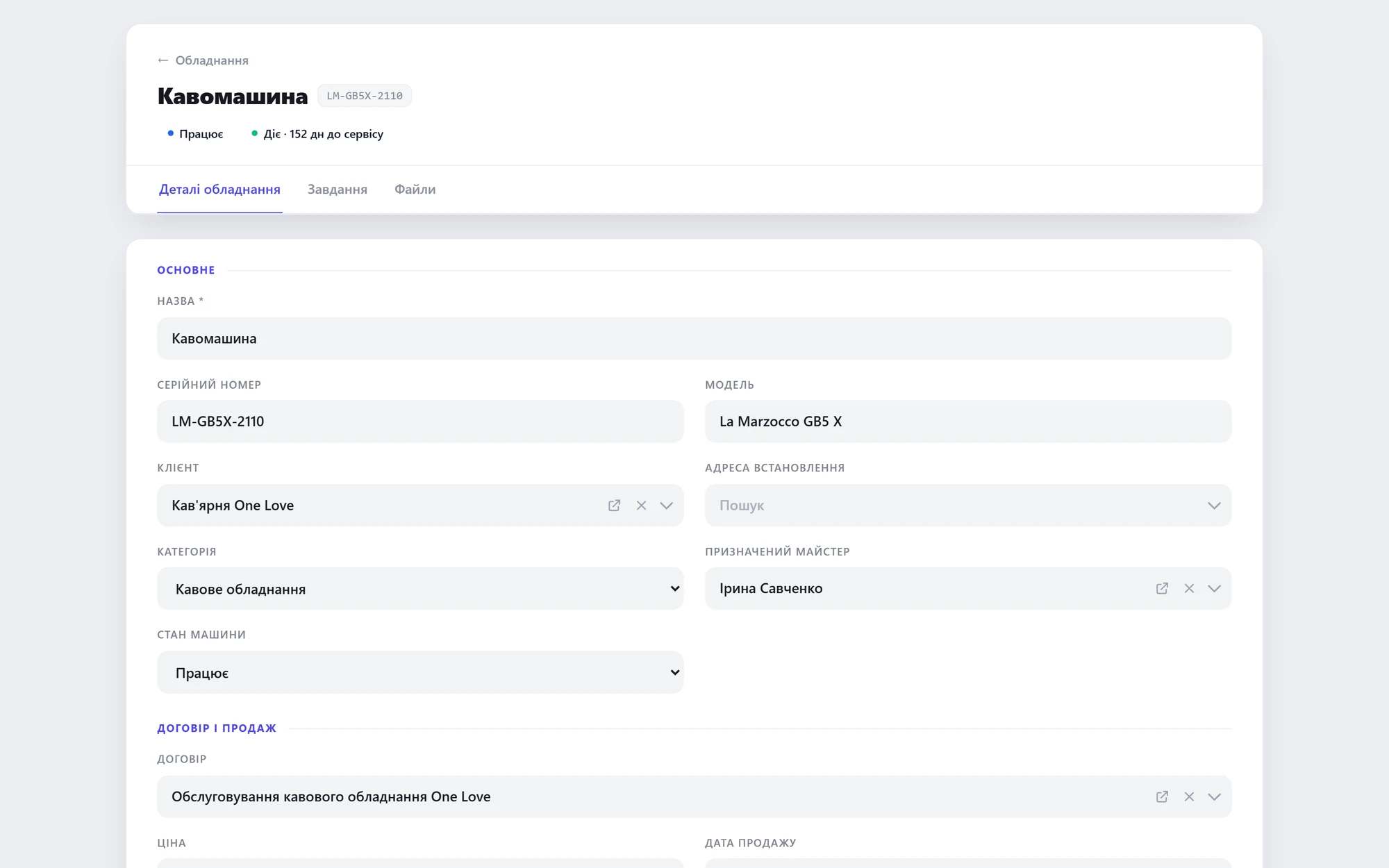 Unit card — model, serial, venue
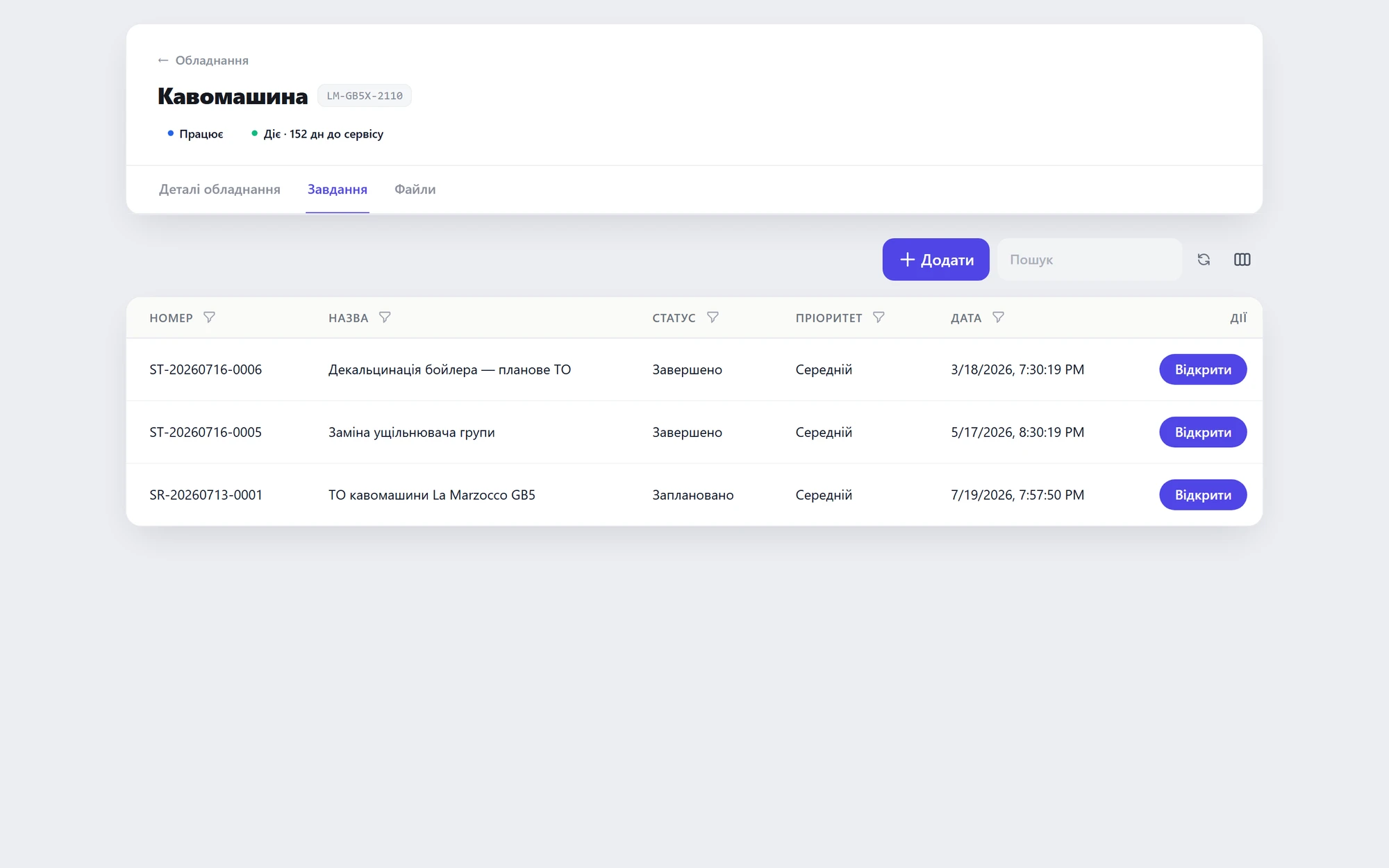 Every visit for this unit
01 / 02
Problem 02“Missed the scheduled maintenance — the client left.”Service contracts tracked by hand; maintenance deadlines slip.
SolutionService contracts + a maintenance calendar with reminders.Contracts + Calendar
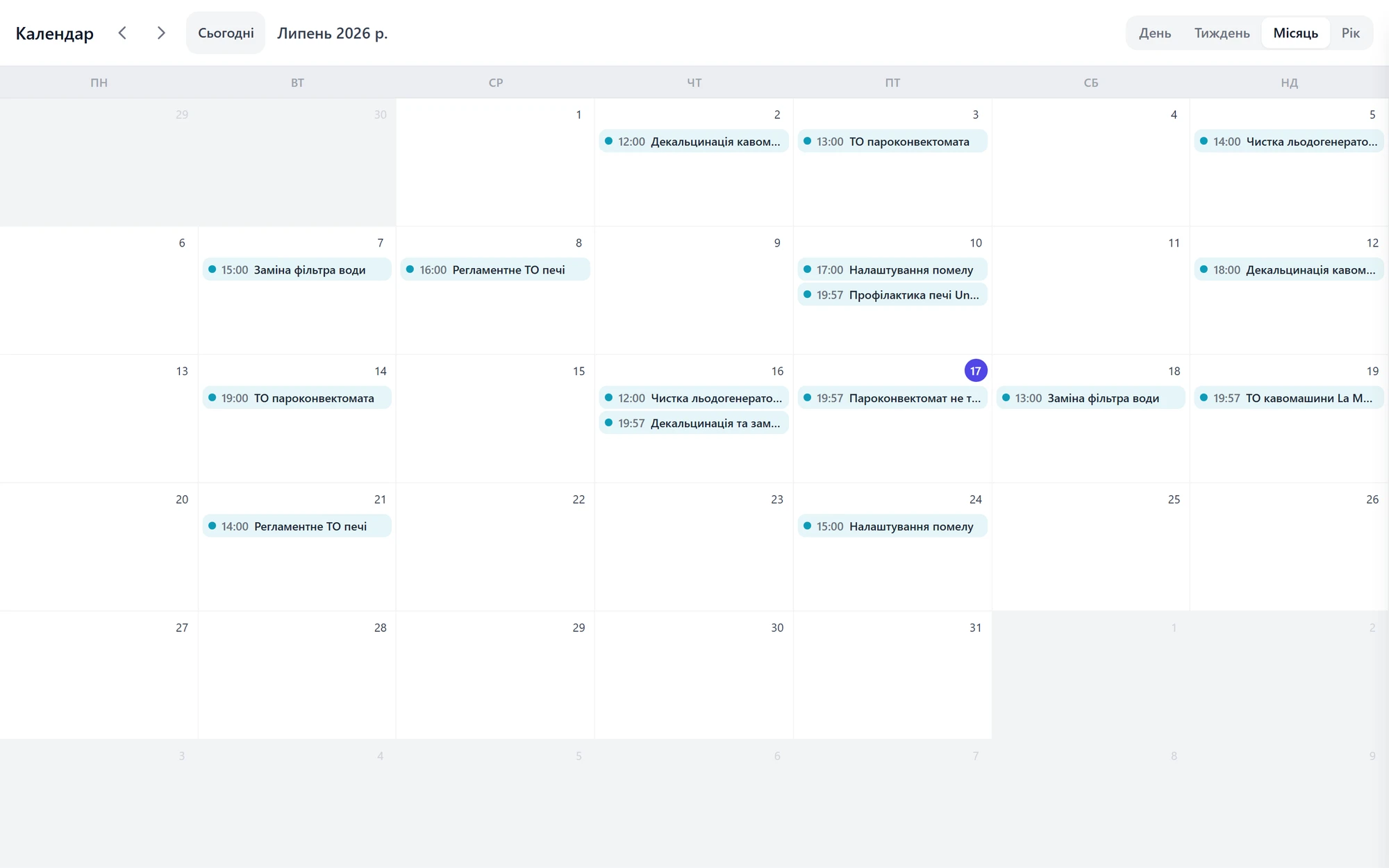 Scheduled maintenance calendar
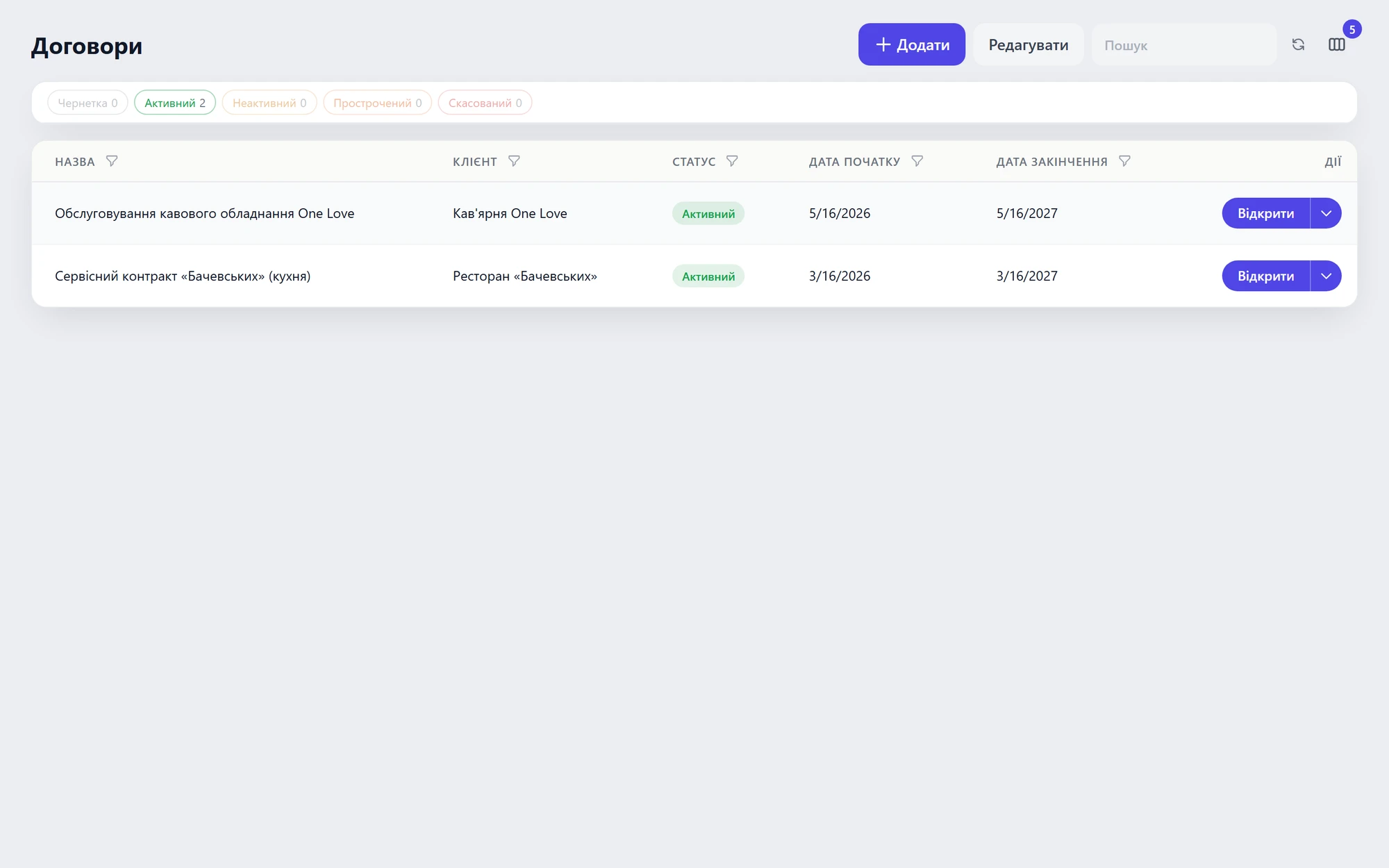 Service contracts
01 / 02
Problem 03“Stock doesn't add up — the part is in the machine but not in the books.”A technician installs a filter and never writes it off — parts ‘vanish'.
SolutionWrite parts off to the visit right from mobile — stock stays accurate.Inventory + Mobile dispatch
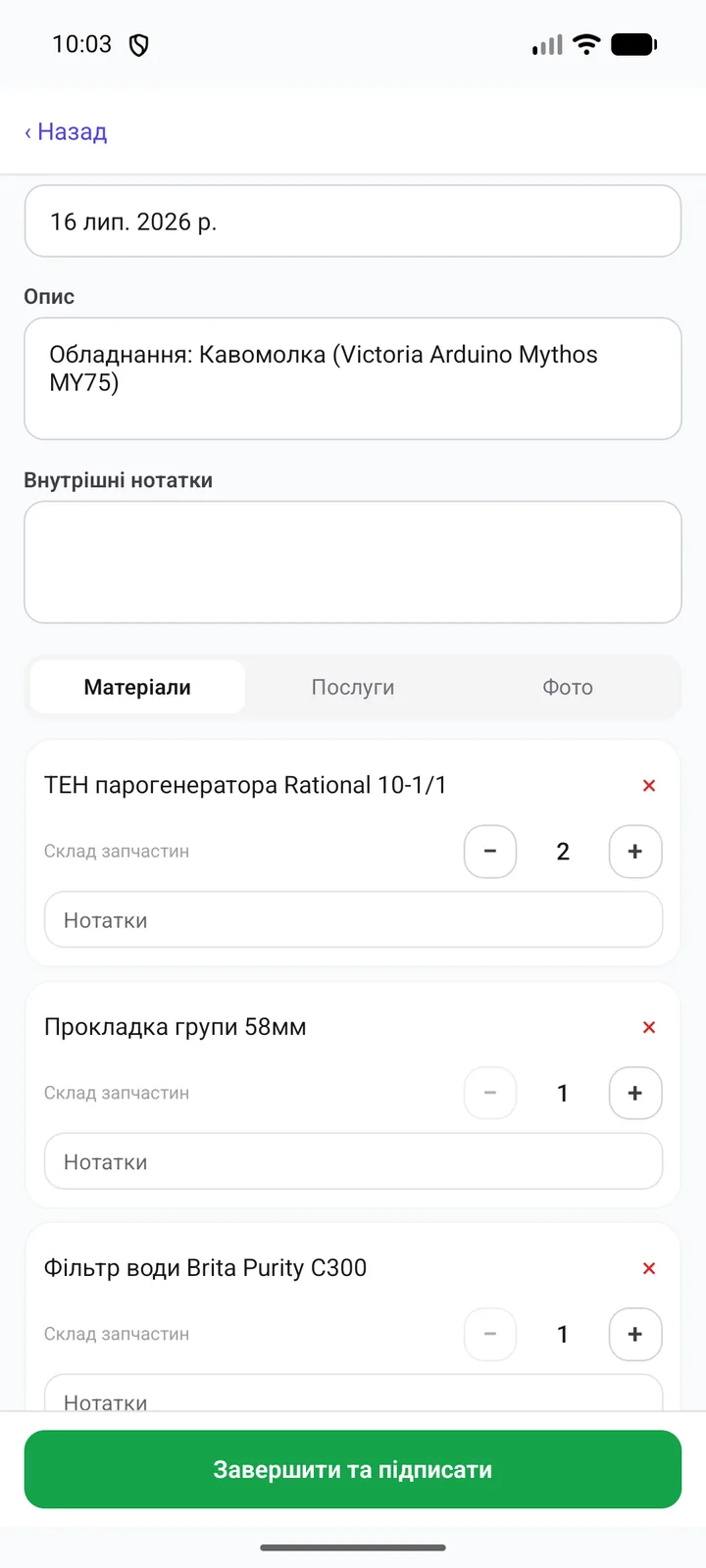 Write-off from the technician's phone
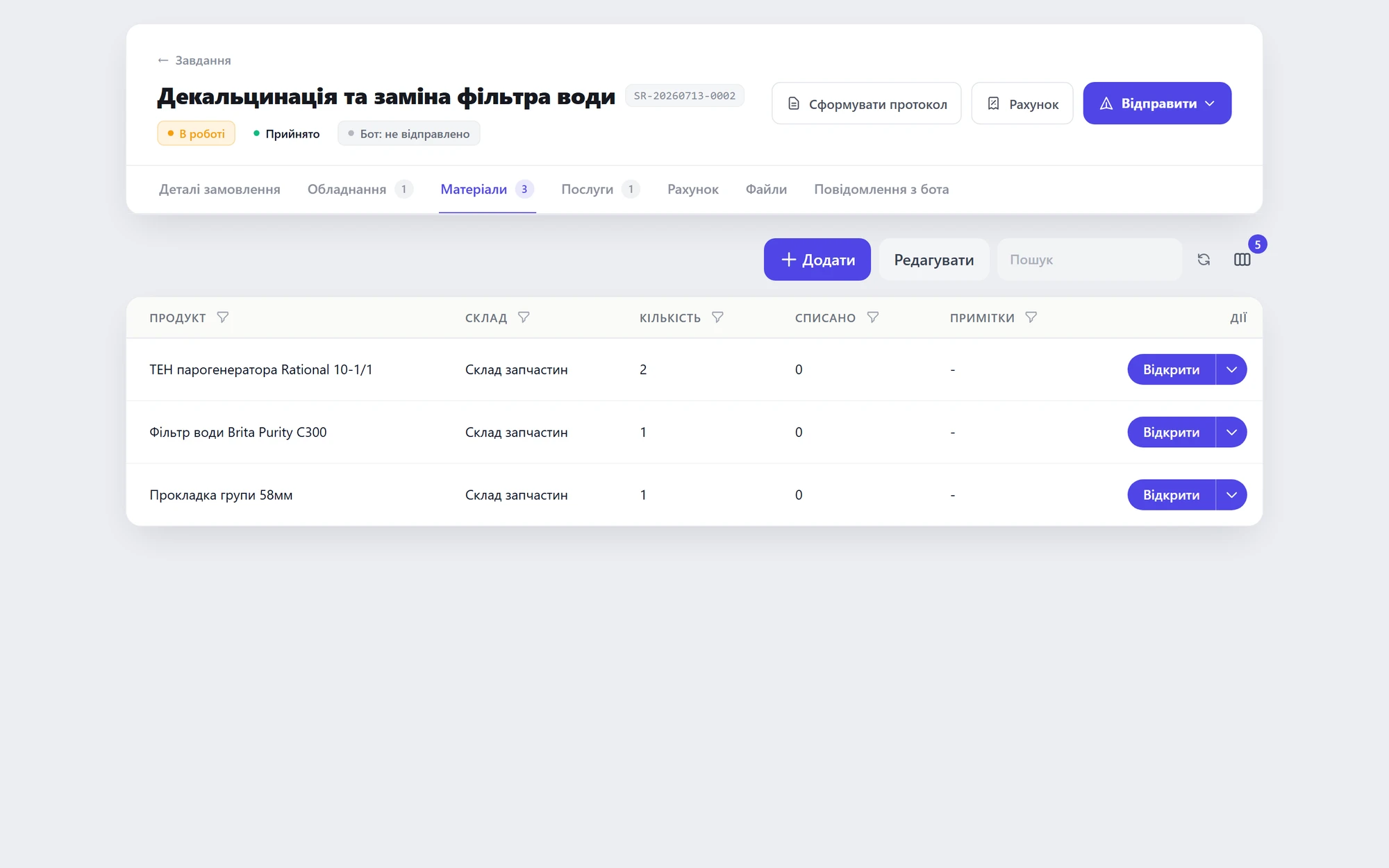 Materials on the visit
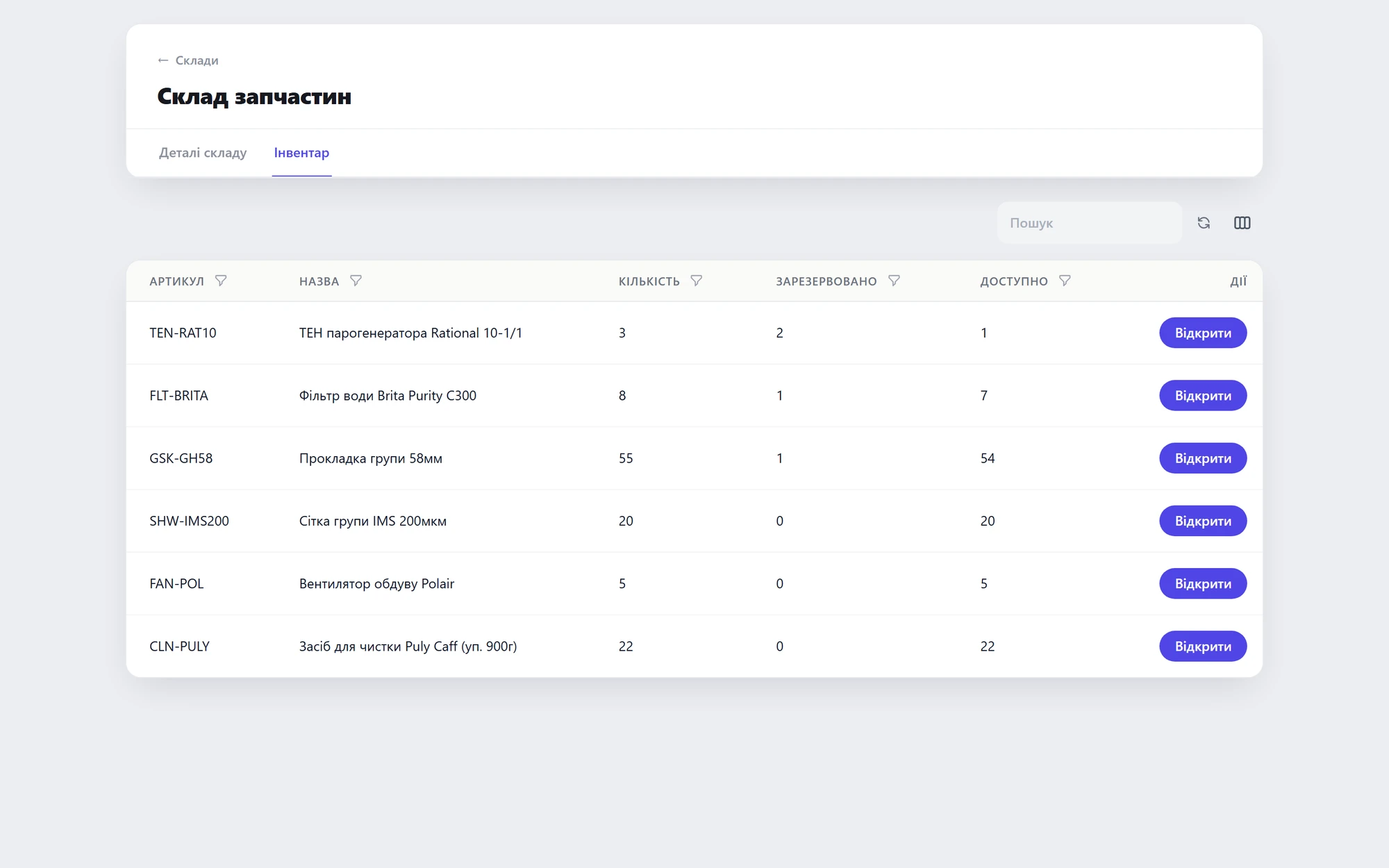 Stock levels stay accurate
01 / 03
Field installation & maintenance
Field crews, scheduled site maintenance, reports signed on site (security systems, elevators, windows).
01 / 03
Problem 01“Paper requests — work status unknown.”The crew leaves; the office knows nothing until they're back.
SolutionThe task in the technician's phone — status and photos from the site, instantly.Mobile dispatch + Files
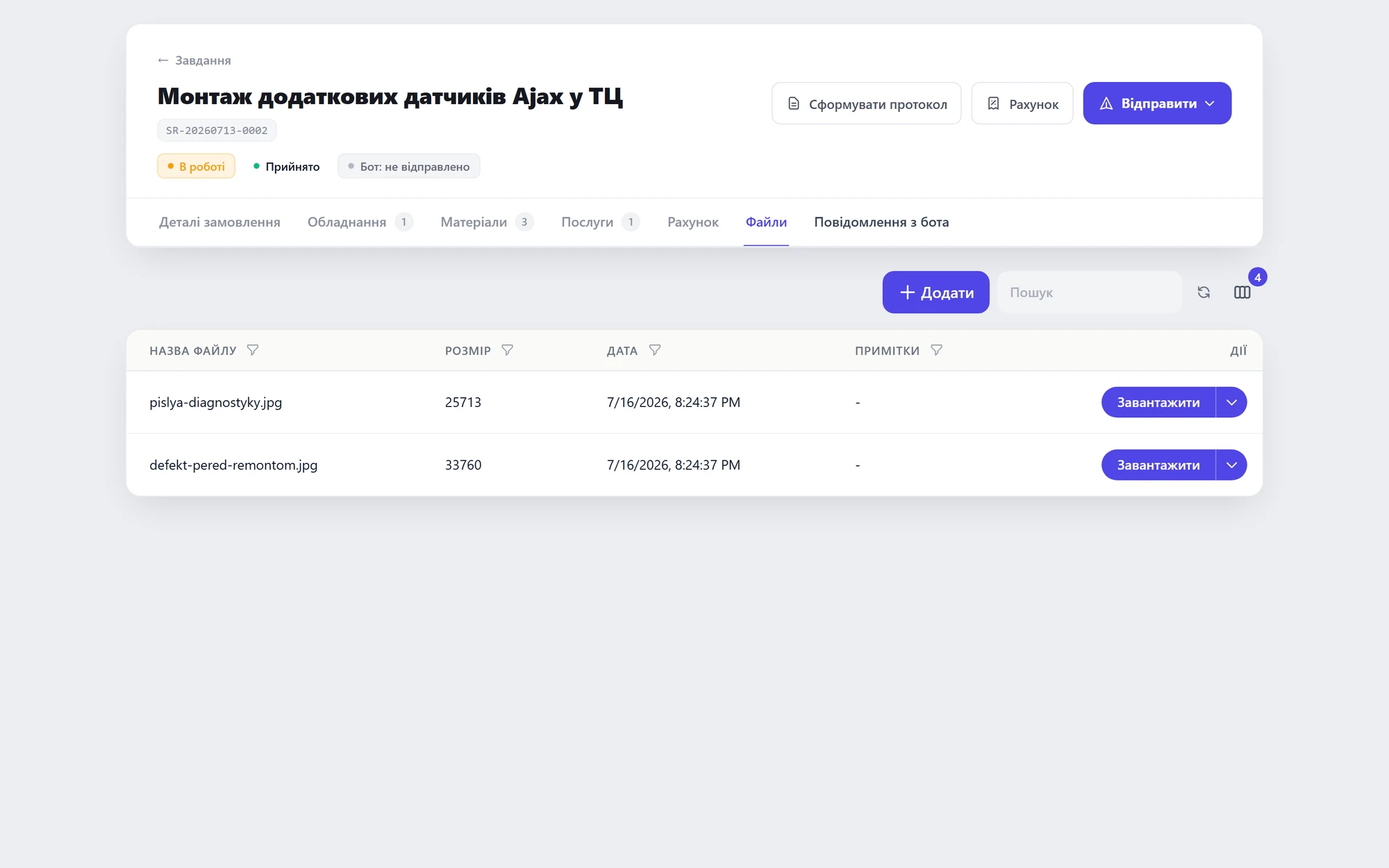 Site photos on the task
 The installer's task
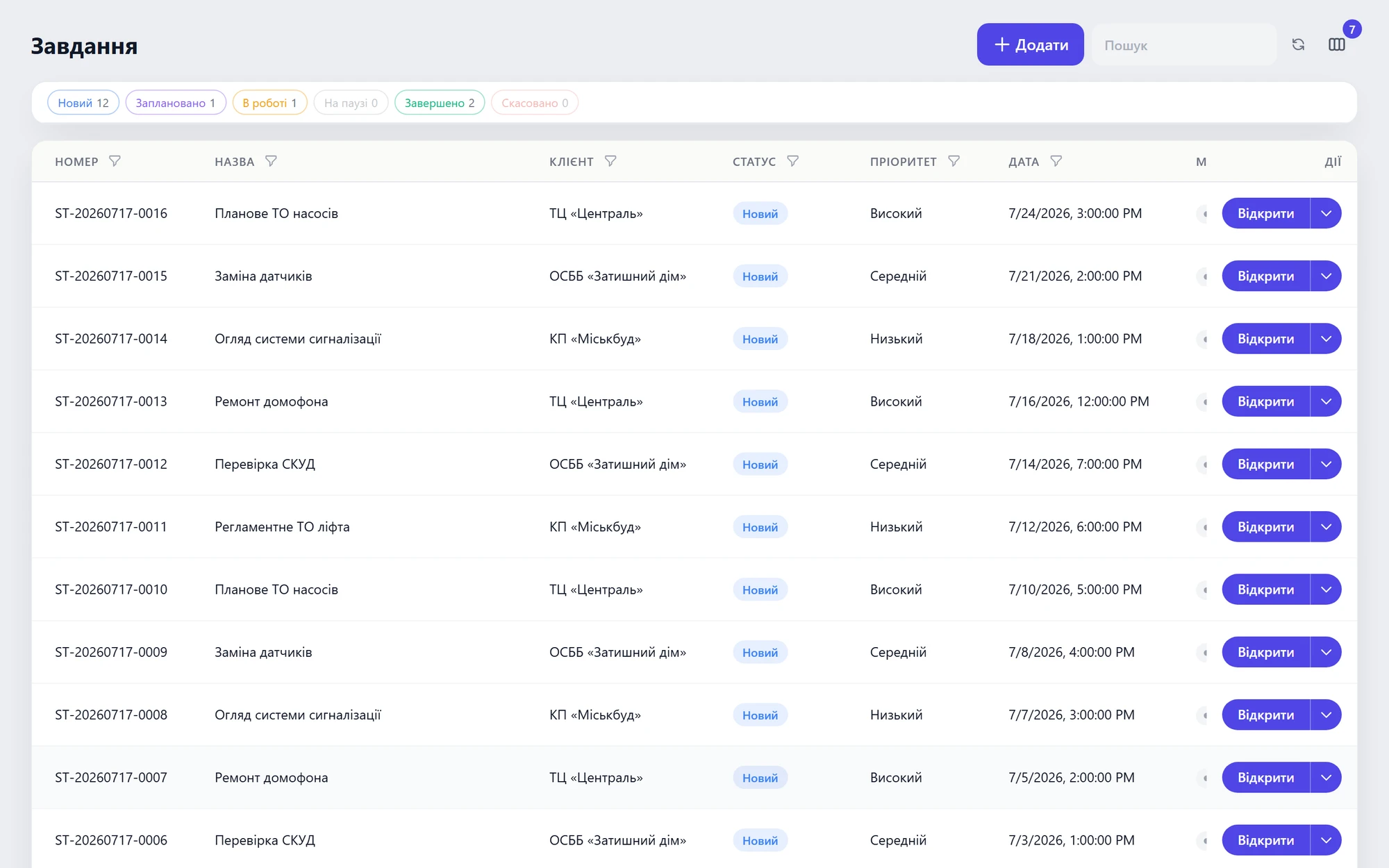 The office sees every crew's status
01 / 03
Problem 02“Scheduled maintenance slips — and that means fines and safety risks.”Elevators, alarm systems — mandatory schedules kept in Excel.
SolutionContracts with schedules + automatic calendar reminders.Contracts + Calendar
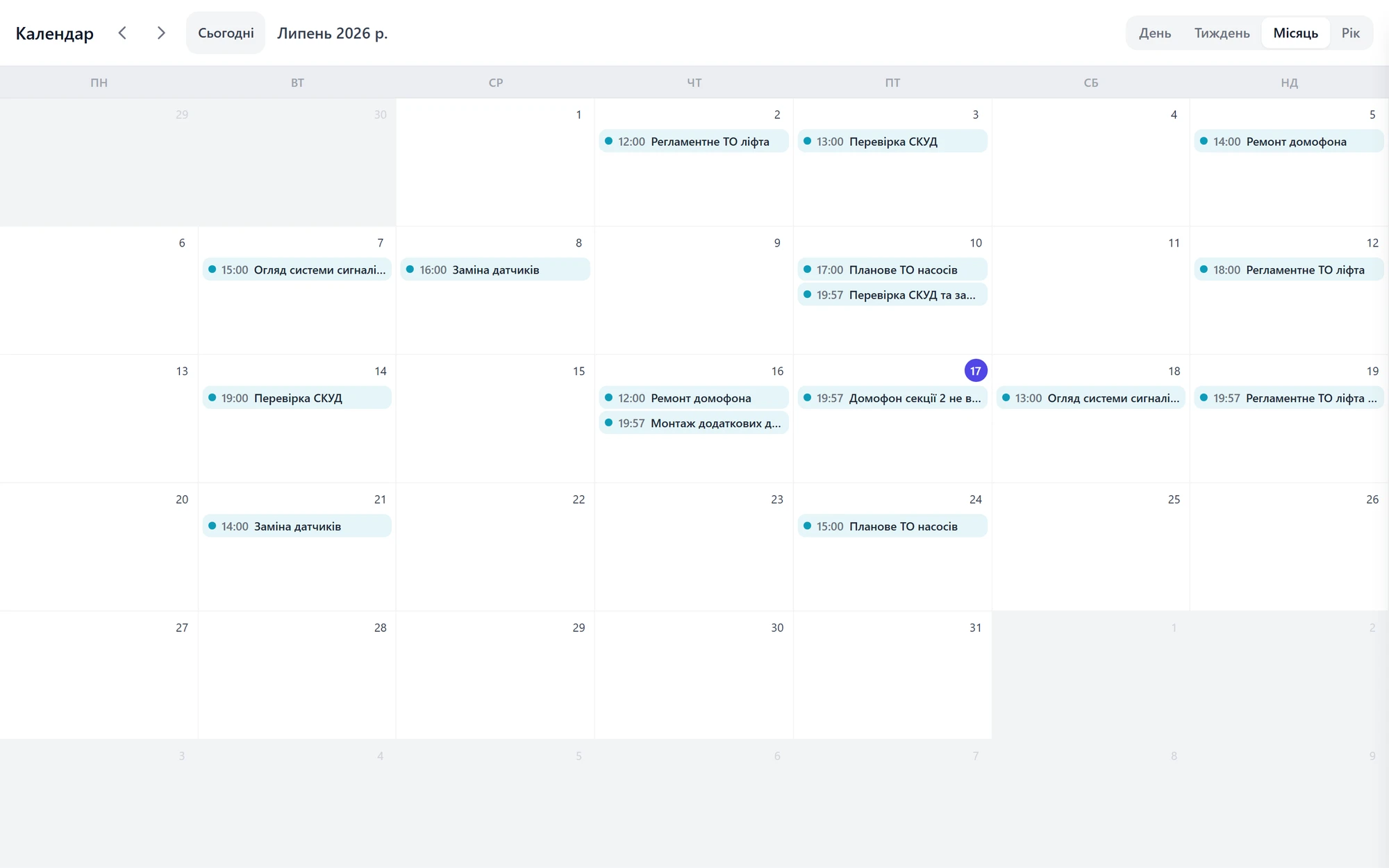 Scheduled works calendar
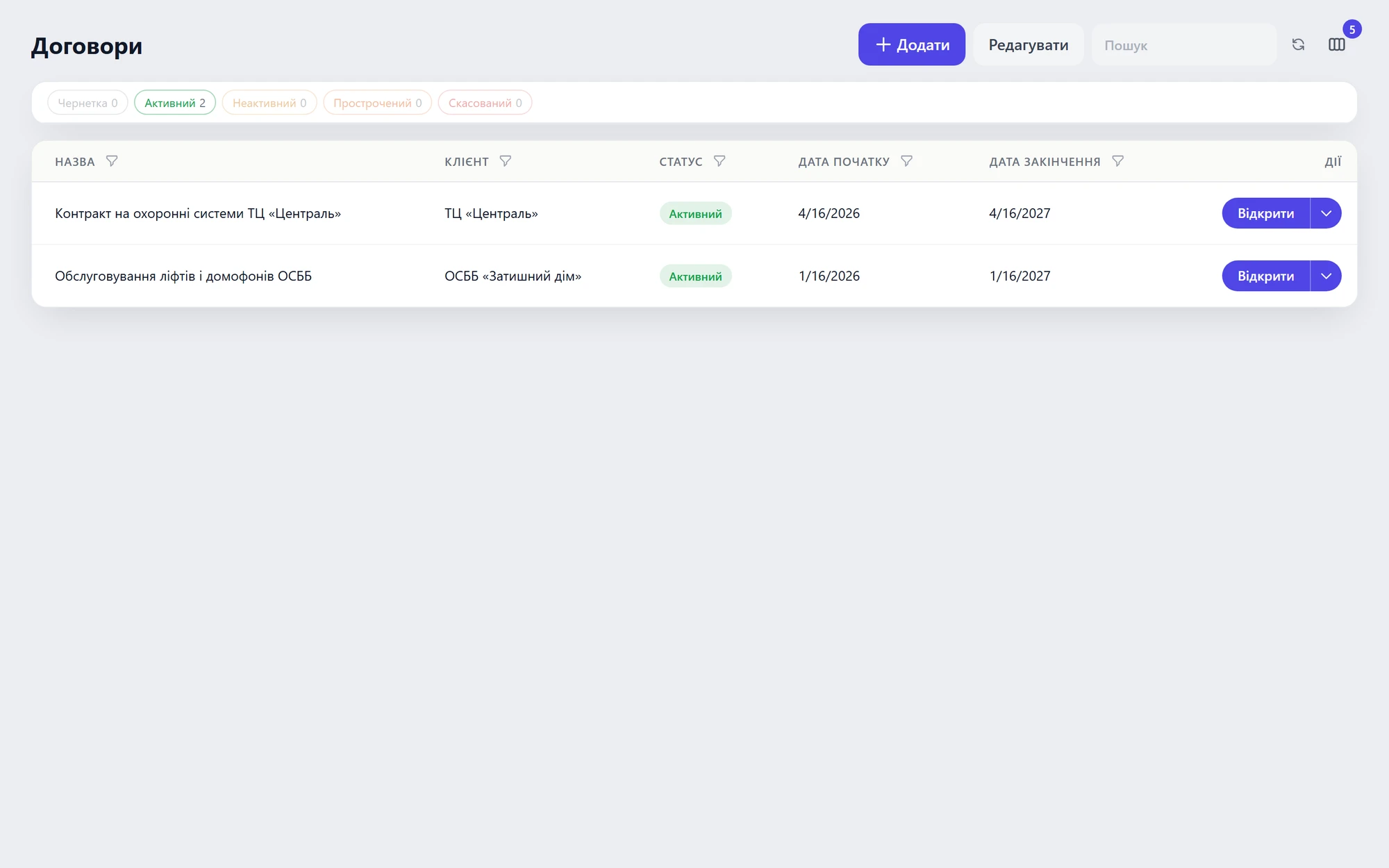 Contracts with schedules
01 / 02
Problem 03“The client demands a signed report on site.”Sign-off and closing get postponed until back at the office.
SolutionThe client signs on screen + a completion document as PDF, instantly.Mobile + Invoice PDF
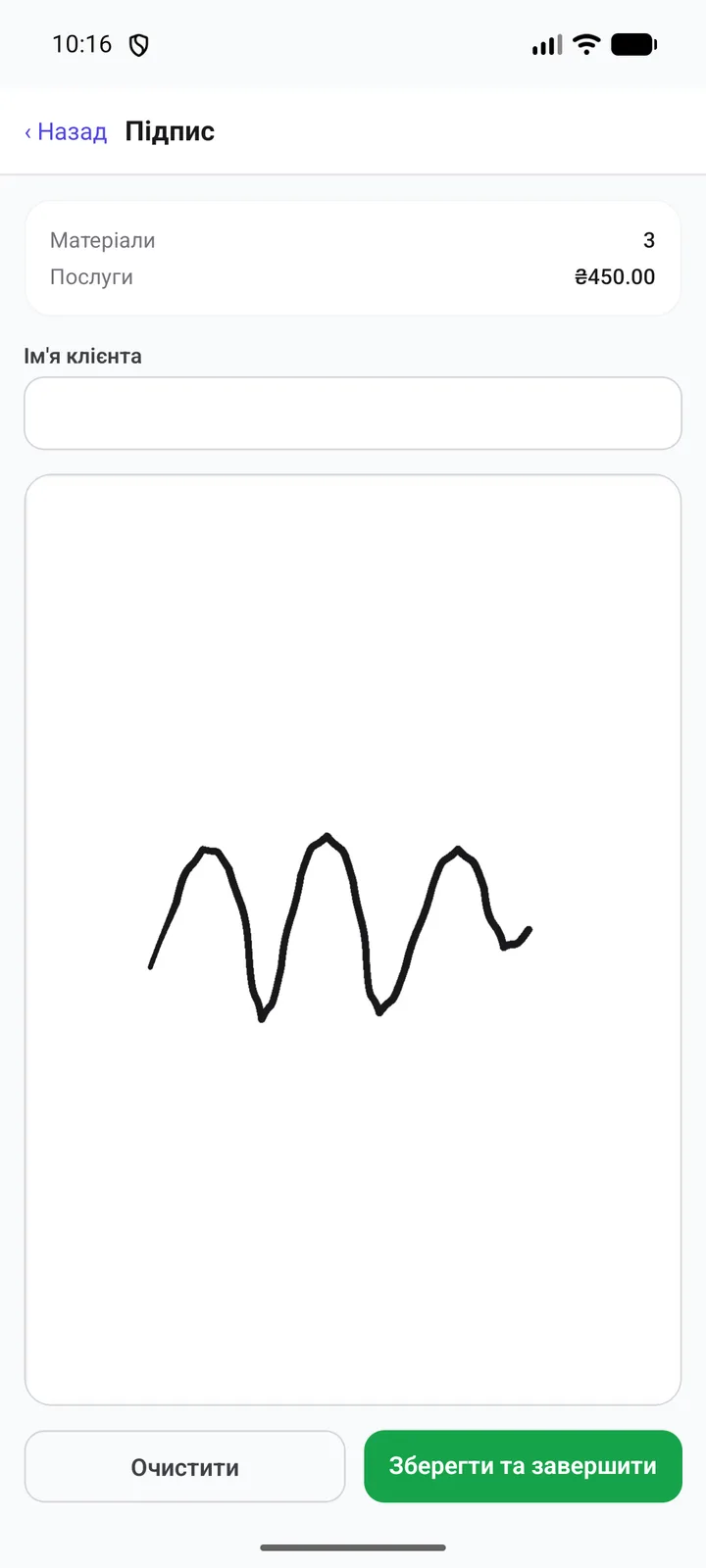 Client signs on screen
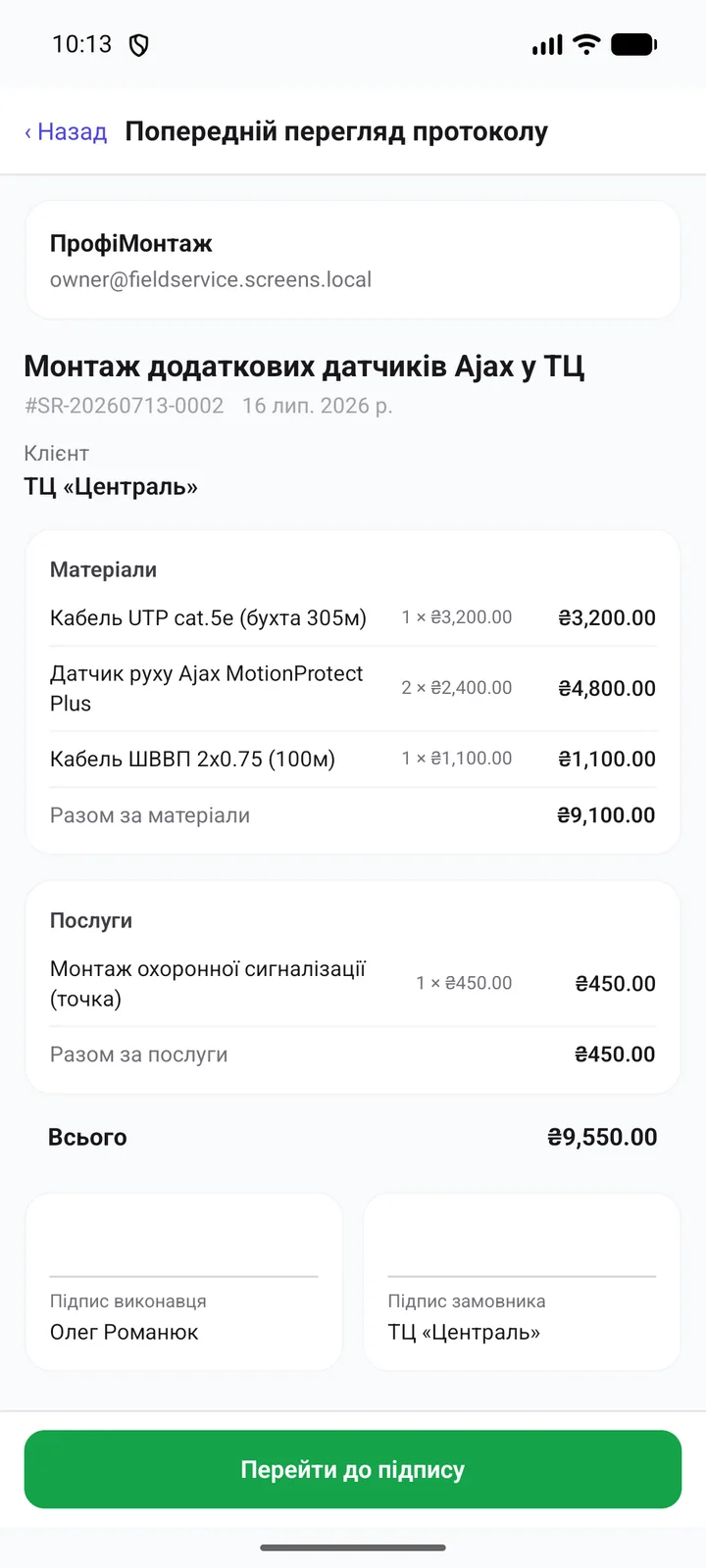 Work report with totals, right on the phone
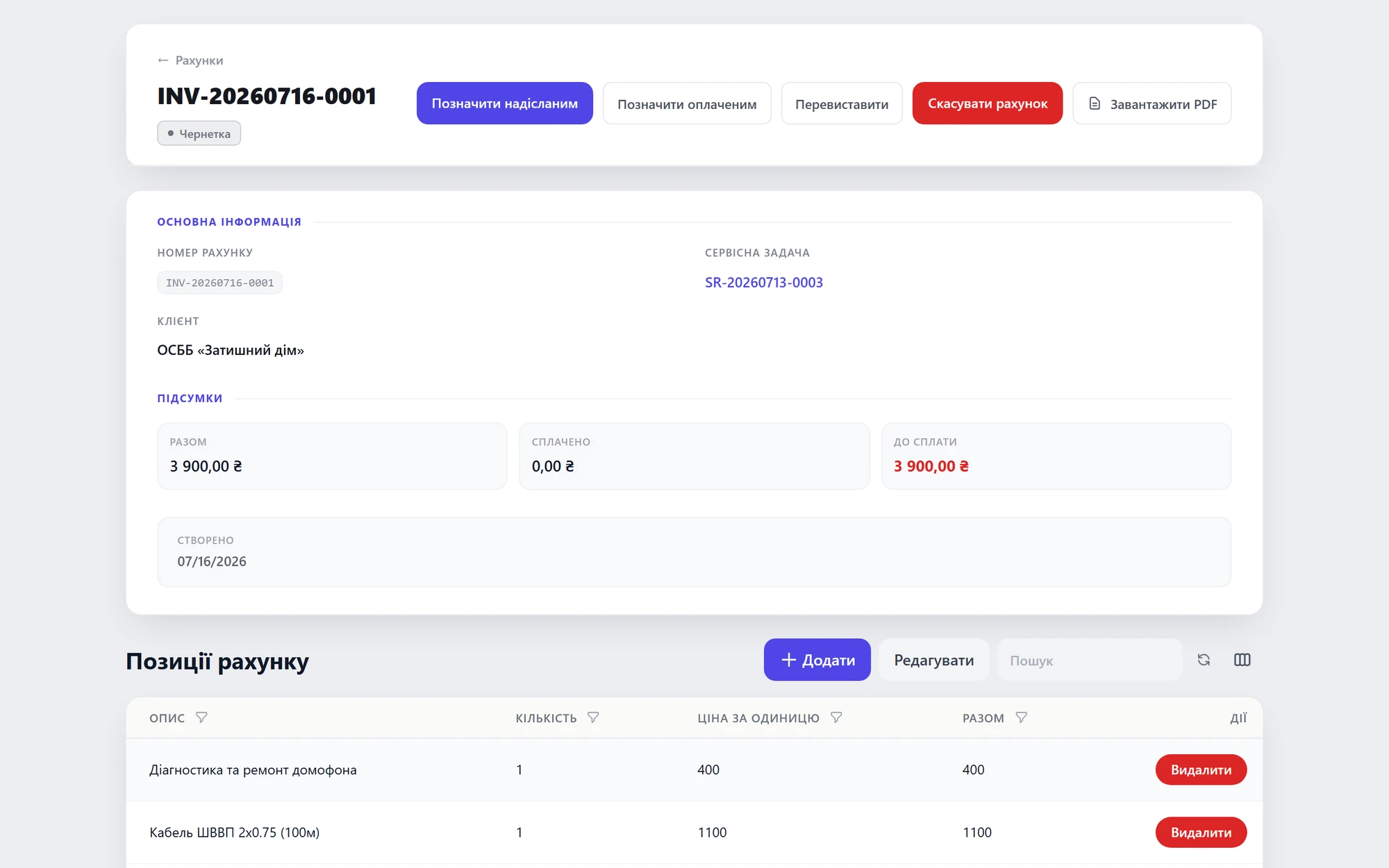 Finished document with totals
01 / 03
Agricultural machinery service
Season peaks, expensive parts, field visits hundreds of kilometers away — all tracked (tractors, combines, irrigation).
01 / 03
Problem 01“Sowing or harvest — a flood of requests, too few technicians.”At peak, client machine downtime means direct losses; response must be instant.
SolutionRequests into a queue, fast assignment to technicians, the plan on a calendar.Mobile dispatch + Calendar
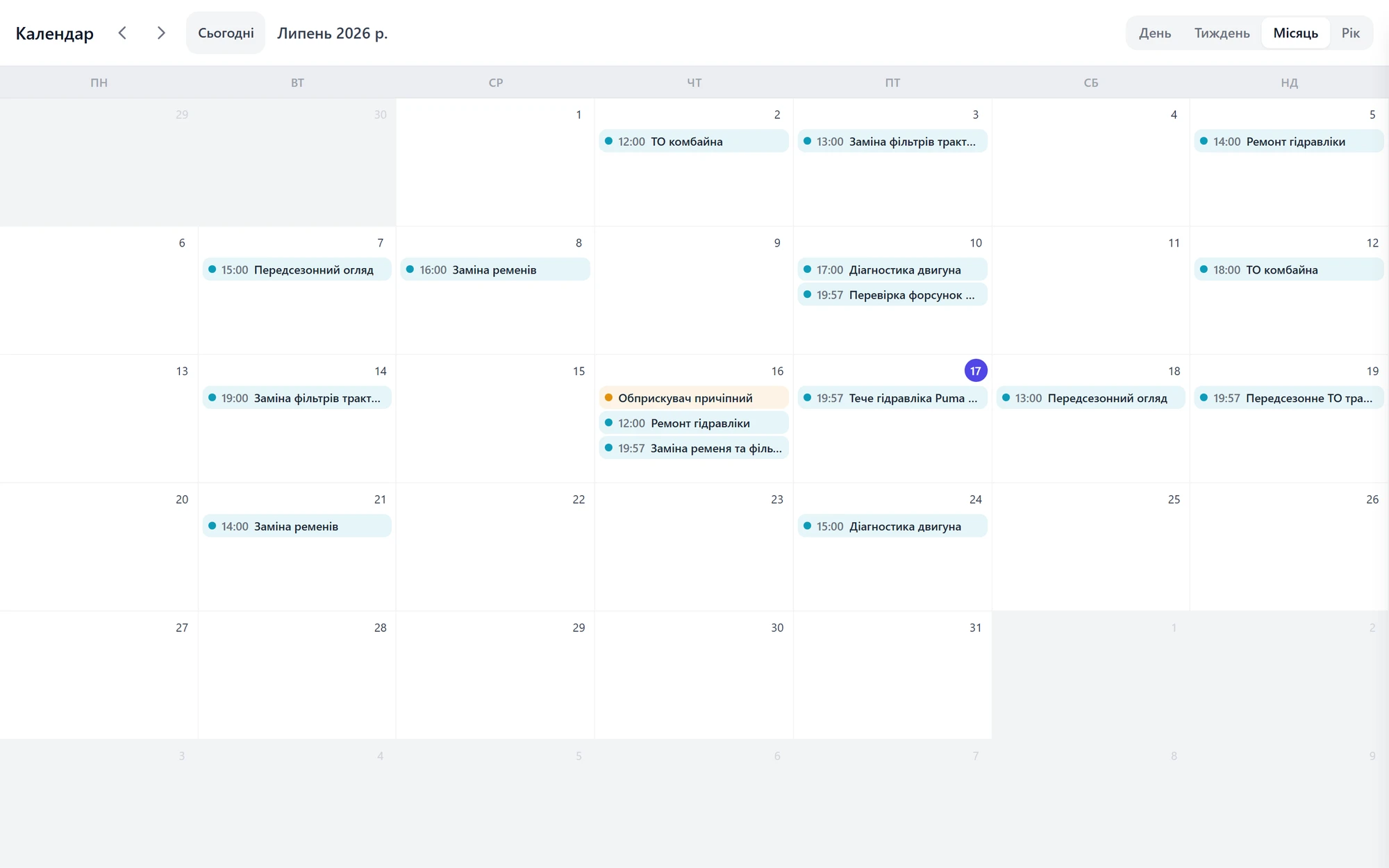 A peak-season month on the calendar
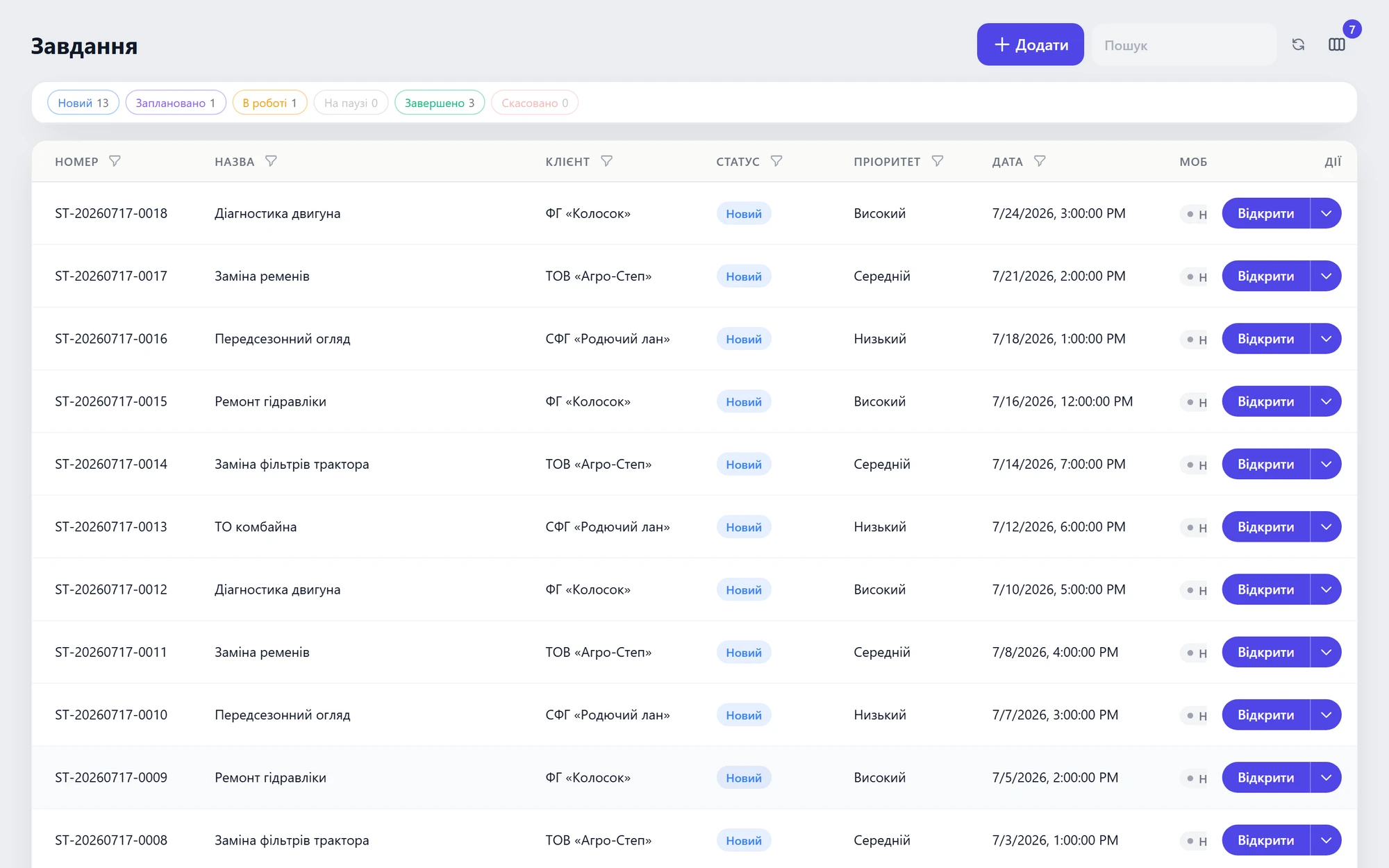 Request queue with statuses
01 / 02
Problem 02“An expensive part — where did it go, and onto which machine?”No per-machine parts tracking (tractor #, combine #).
SolutionA card per machine + parts written off to the specific repair.Equipment + Inventory
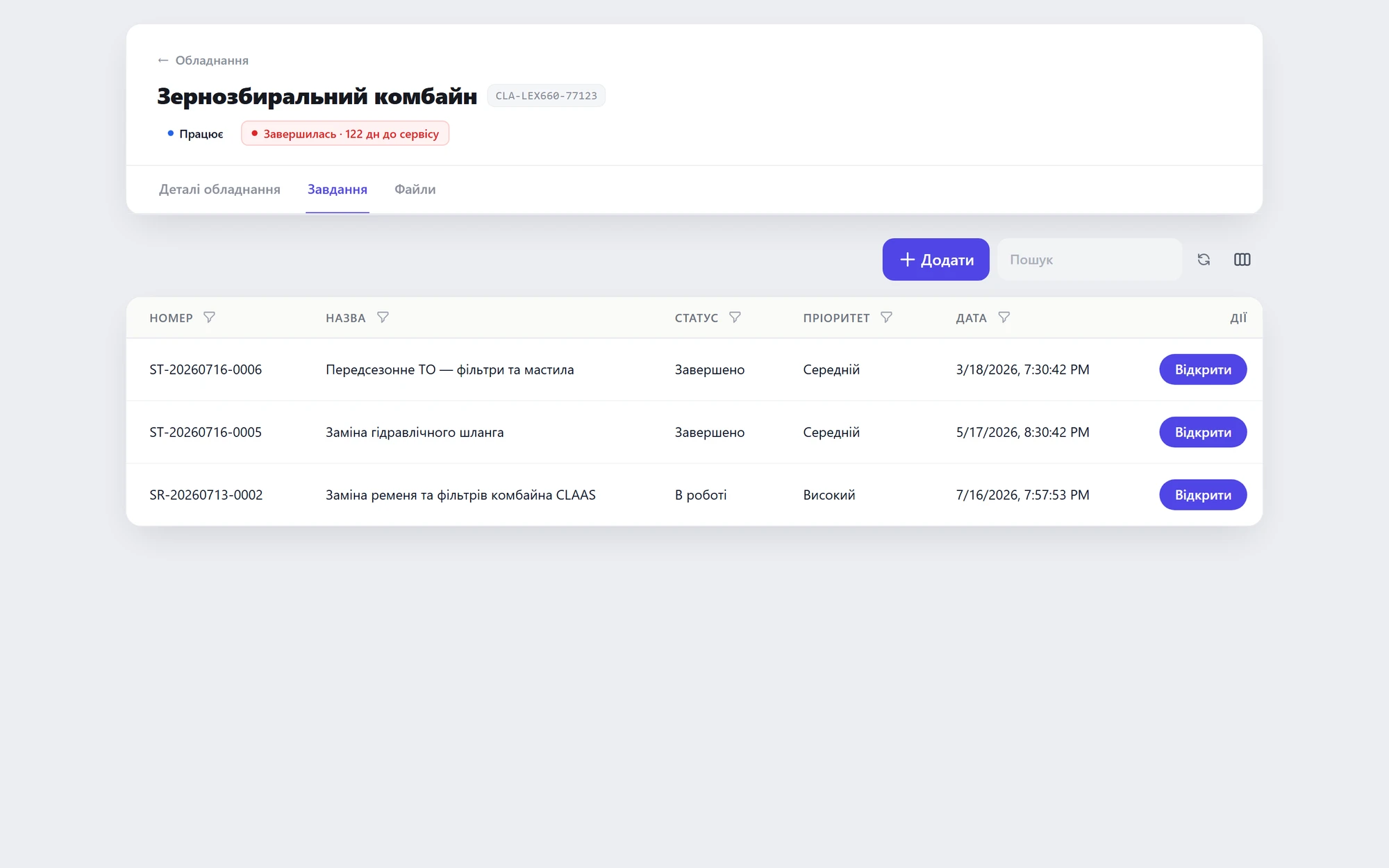 History of a specific machine
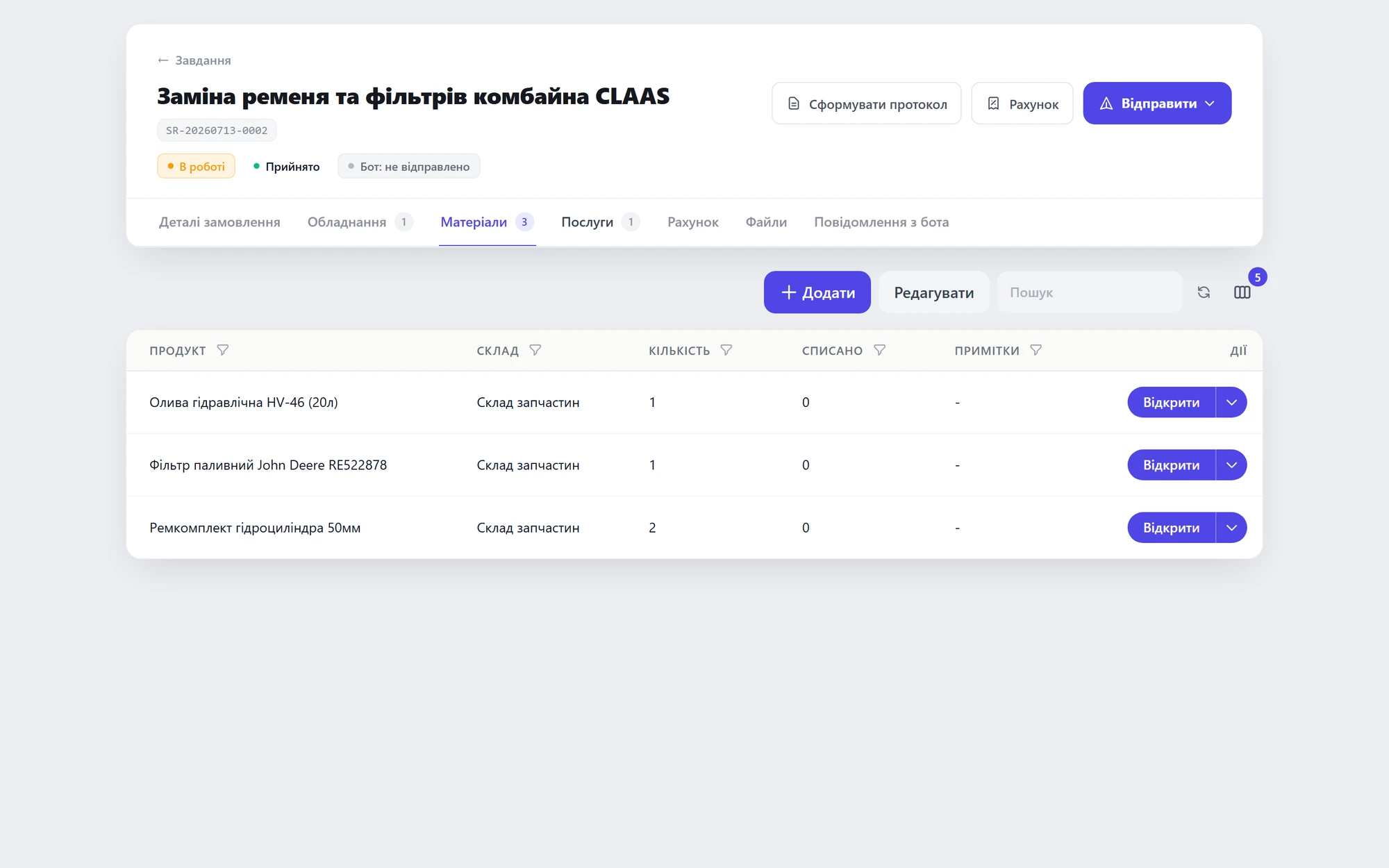 The part written off to the repair
01 / 02
Problem 03“A technician in the field — no signal, no paperwork.”Far from the office, but the job must be closed and signed on the spot.
SolutionMobile works offline — signature and document right in the field, sync later.Mobile dispatch — offline
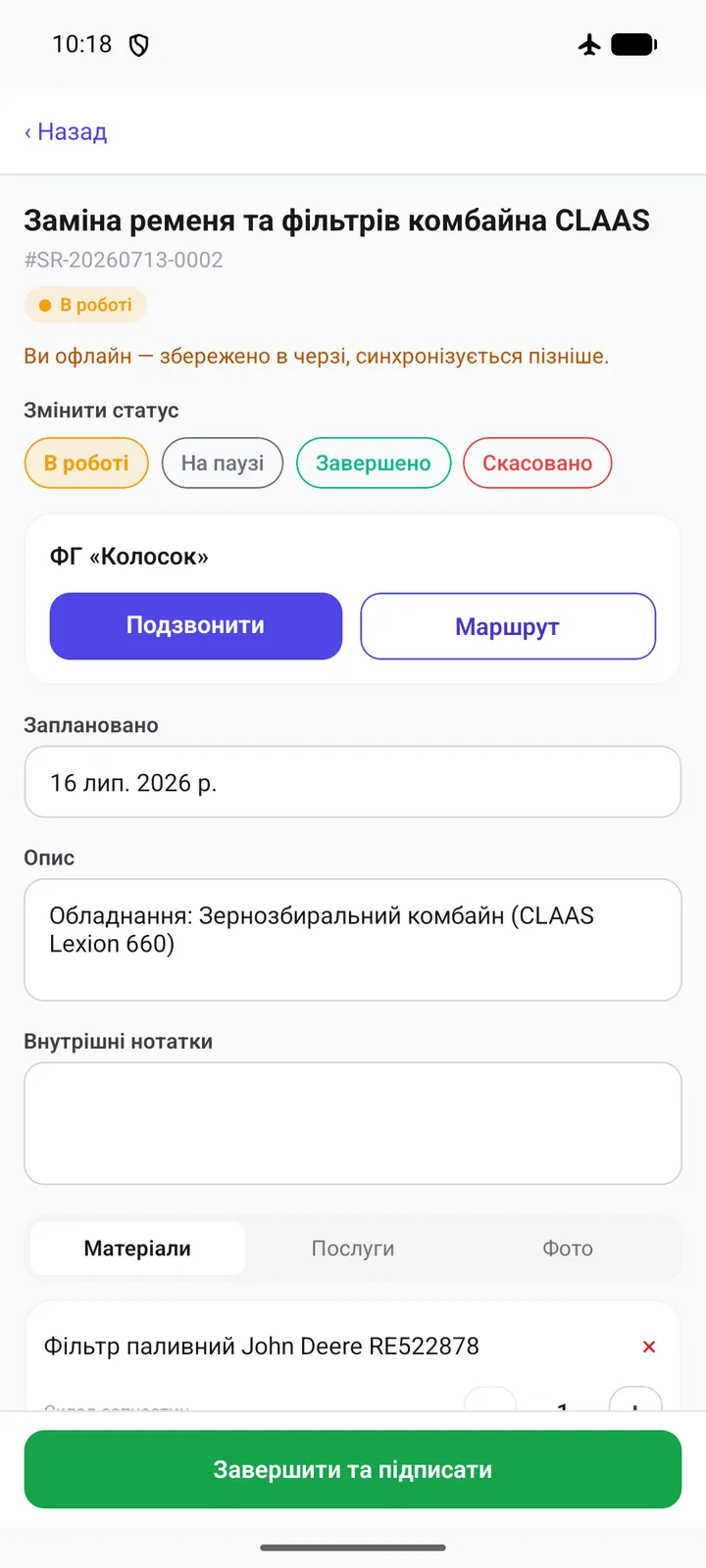 Mobile task (offline)Signature right in the field
01 / 02